
Workflow execution
This is the procedure for each user to execute the workflow set by the administrator.
The administrator must configure the workflow settings in advance.
Workflow implementation
When each user sees the data, the current status and the next user / organization to take action are displayed.
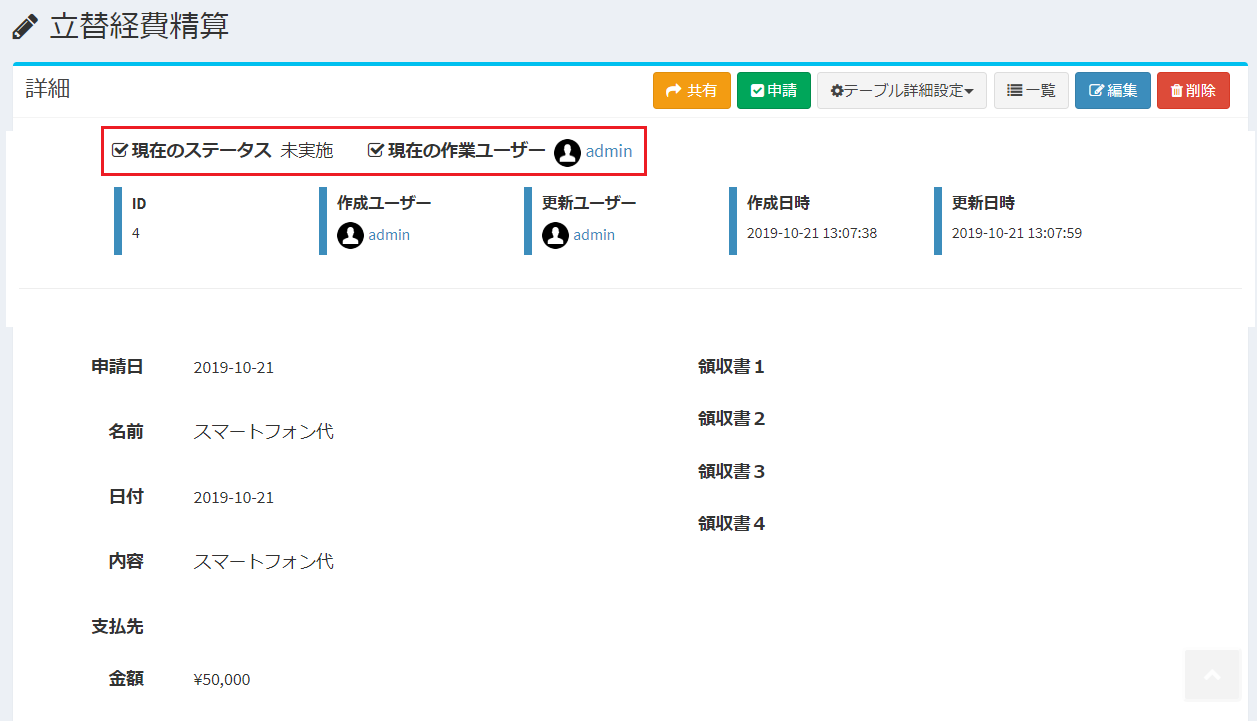
If the logged-in user has permission to perform the following actions, an action button will be displayed at the top right of the page.
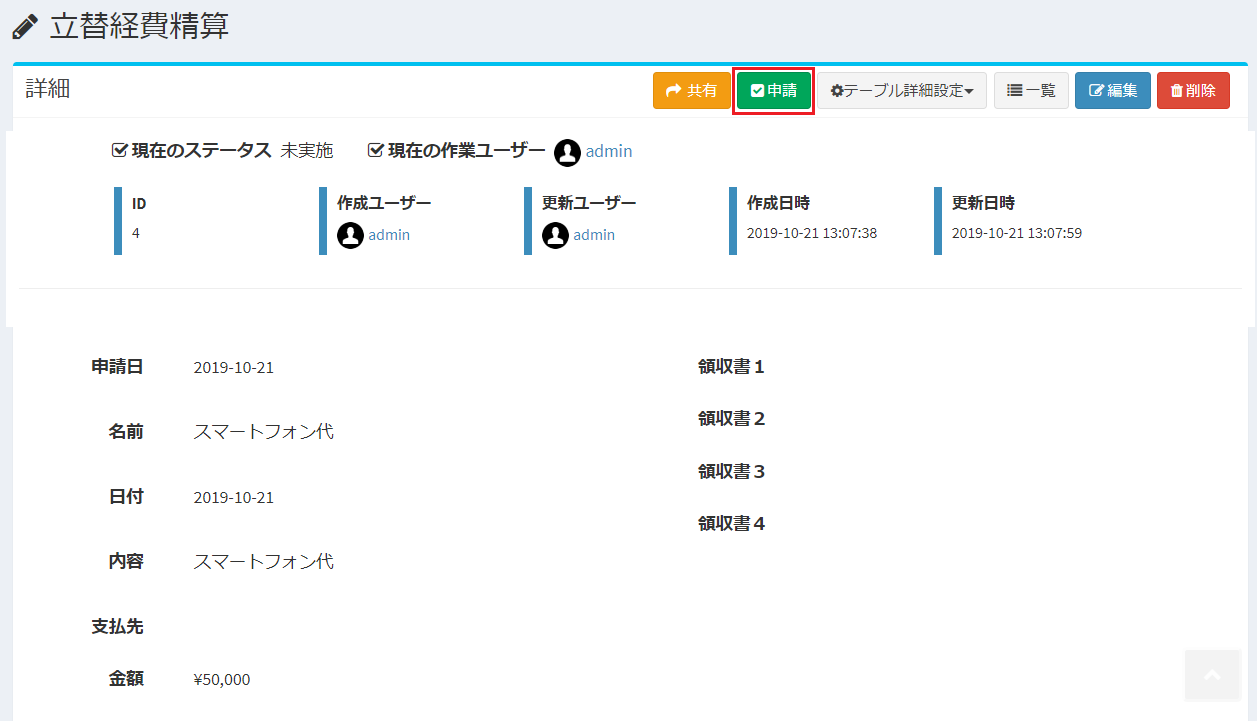
Click the button to display the action execution confirmation dialog.
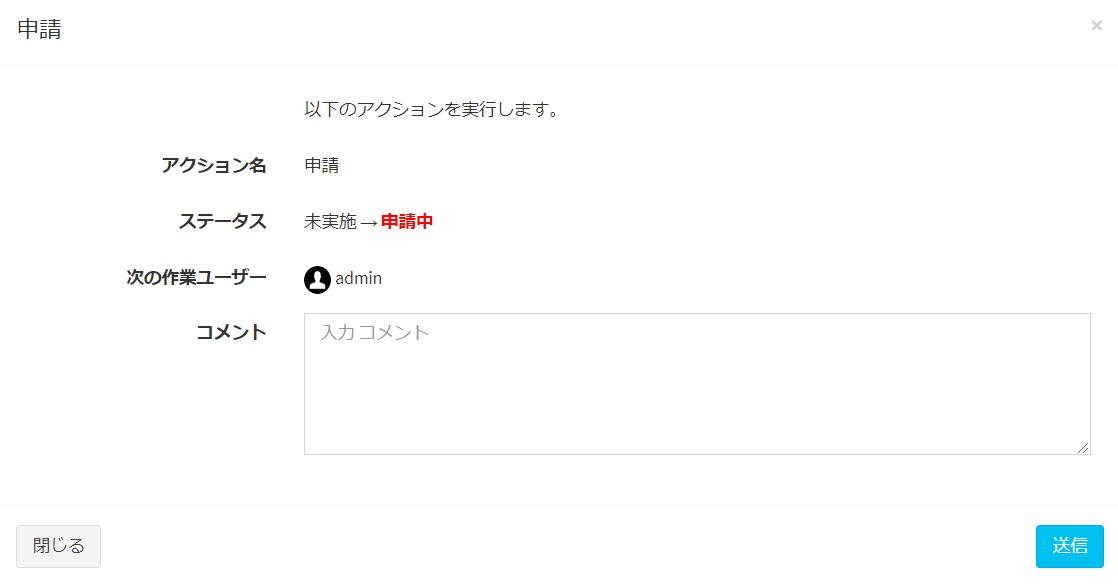
- Action name: The name of the action to be executed this time is displayed.
- Status: Displays the status before and after performing this action.
- Next work user: The work user / organization after this action is executed is displayed.
- Comment: Enter a comment when the action is performed.
If you are satisfied with the content, click "Submit" to execute the action.
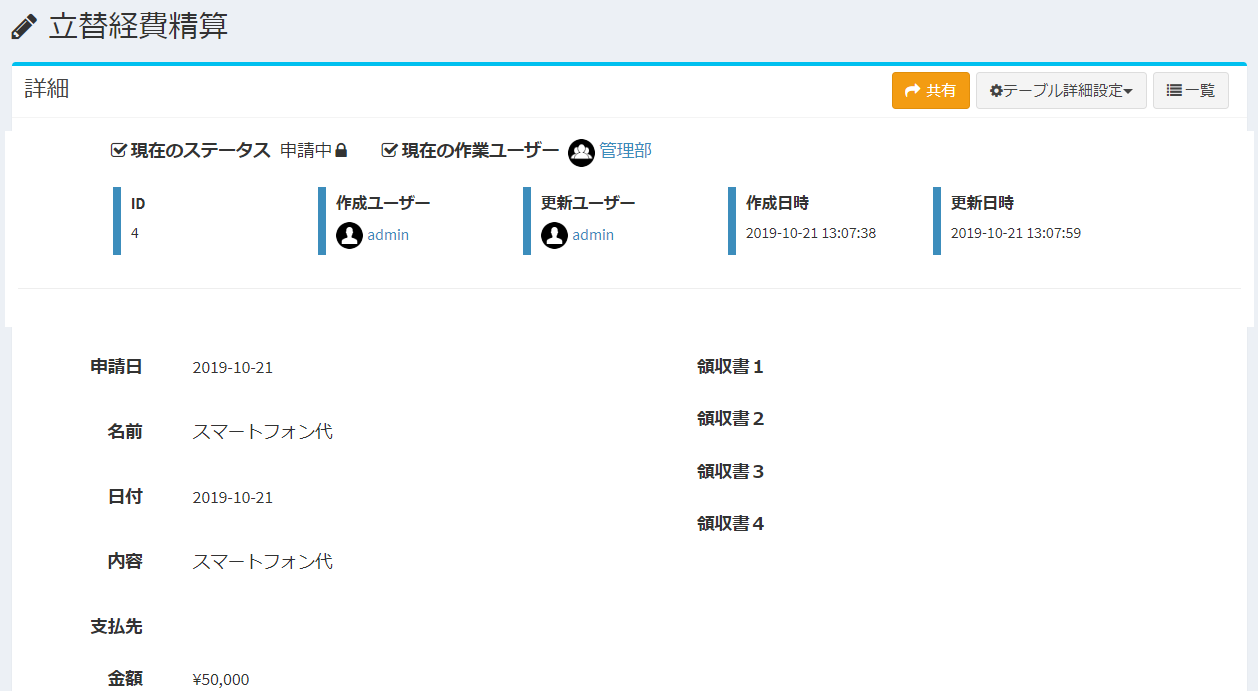
When the action is performed, the "current status" and "current working user" change.
※ At this time, a key mark may be displayed in "Current status" depending on the workflow settings. In that case, the data is locked and cannot be edited or deleted.
※From v7.1.0, you can also run an action on several records ticked in the data list at once. See here.
Checking your pending tasks
The data on which you need to execute an action can be checked across all tables, from the pending task icon at the top right of the page or on the pending task list.
See Pending tasks for details.