
API keys
Users make their own API keys and call the Exment API from programs or AI with their own permissions. A key is sent as Authorization: Bearer exk_... in place of an OAuth access token.
※This feature is available in Exment v7.2.1 or later.
※It is off at first. A system administrator turns on "API keys" in "Settings: System" > "Feature Management" and chooses the role groups that may use it.
※OAuth access tokens (API setting) work as before.
Making your own key
Open "API keys" from the "Settings" page of the user menu at the top right (the URL is /auth/api_keys). System administrators can also open it from the list of "API setting".
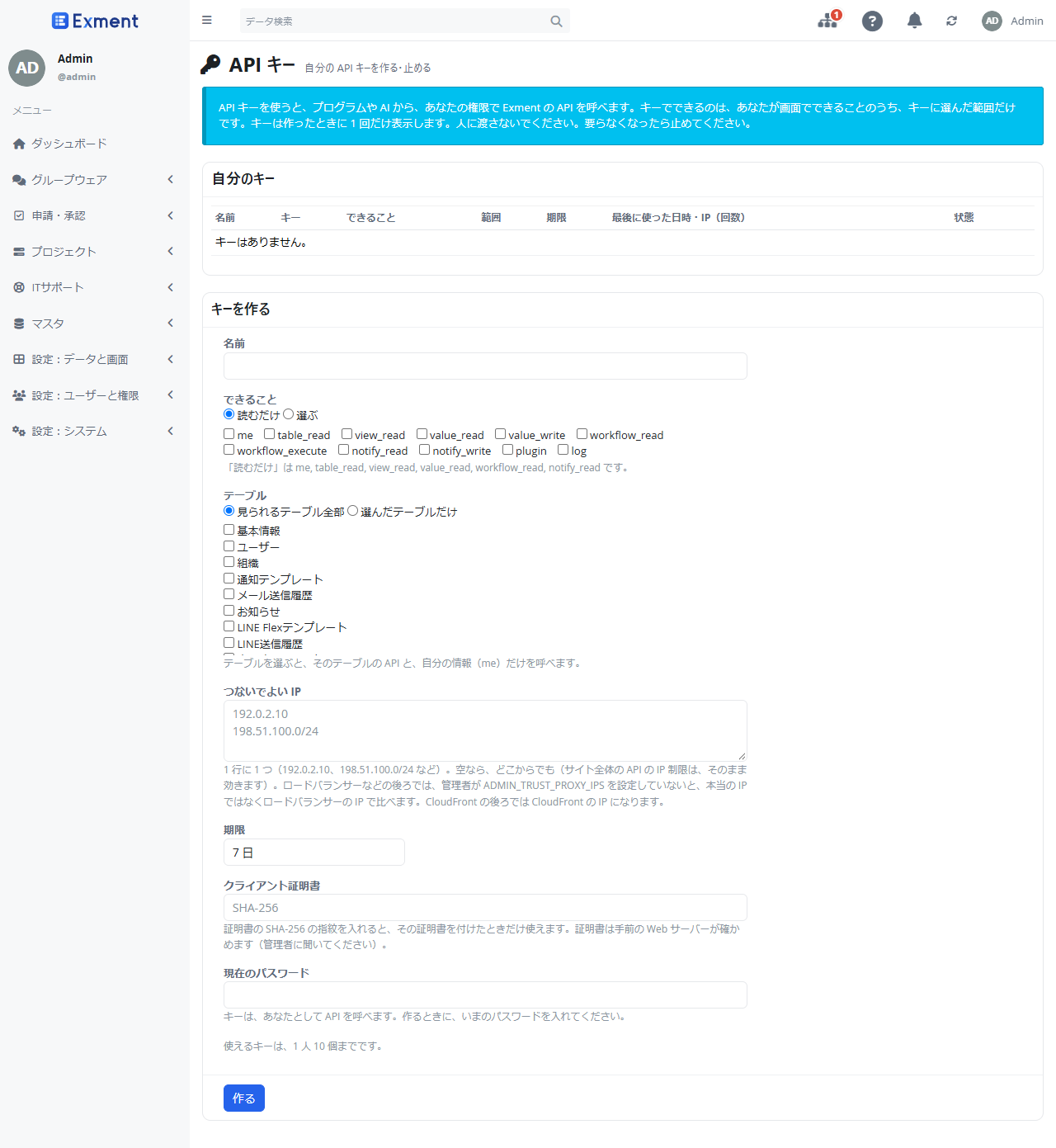
| Item | What it is |
|---|---|
| Name | A name that tells what the key is for |
| What it can do | "Read only" (me, table_read, view_read, value_read, workflow_read, notify_read), or chosen scopes |
| Tables | All tables you can see, or chosen tables only. With chosen tables, only the API of those tables and your own information (me) can be called |
| Allowed IPs | One per line (ranges allowed). Empty: from anywhere (the site-wide API IP filter still applies) |
| End date | 7, 30, 90 (default), 180 or 365 days |
| Client certificate | With the SHA-256 fingerprint of a certificate, the key works only with that certificate (the front web server checks it) |
| Current password | Enter your password when you make a key |
- A key is shown only once, when it is made. Keep it, and do not give it to others. It cannot be shown again.
- A key can do only what its user can do on the pages, within the scopes chosen for the key.
- Each user can have up to 10 keys.
- The list shows when, from which IP and how many times each key was last used. Stop keys you no longer need from the list.
Using a key
curl -H "Authorization: Bearer exk_xxxxxxxx" https://(Exment URL)/api/data/(table name)※On a site with "/admin", it is https://(Exment URL)/admin/api/... (Change / delete "admin" included in URL).
A key stops working when it expires or is stopped, when its user or login is removed, when the user leaves the allowed role groups, when the IP or certificate does not match, or when it calls outside its tables (no reason is returned).
System administrators: every key
The admin page of API keys (the URL is /api_keys) lists the keys the users of the site made, and stops one key, or all keys of a user, at once.
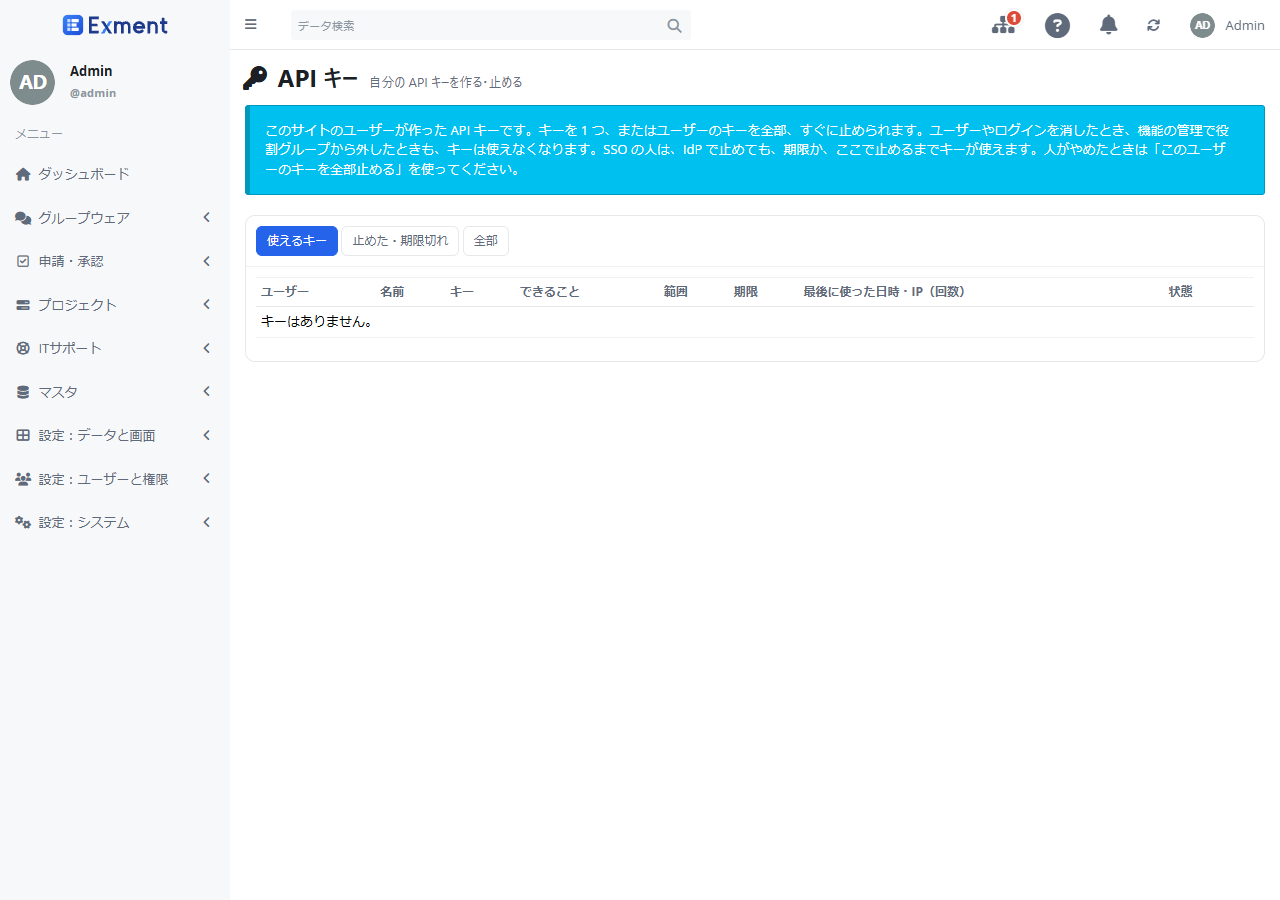
- For SSO users, a key keeps working after the IdP stops the user, until it expires or is stopped here. When someone leaves, use "Stop all keys of this user".
ADMIN_API_KEY_REQUIRE_CLIENT_CERT=truein.envrequires a client certificate for every key. Behind a load balancer, setADMIN_TRUST_PROXY_IPSso the real IP is compared.