Plugin (import)
You can implement your own import process for custom tables.
We recommend using this plug-in when importing files output by the existing system into Exment.
How to make
The creation procedure is described as an example of the "Import quotation (Excel) into contract table and contract item table" plug-in.
※ Information on the contract table is described in the header part of the quote, and information on the contract details table is described in the item part.
※ As a prerequisite, knowledge of PHP and the framework Laravel, library PhpSpreadsheet for operating Excel with PHP is required.
Create config.json
- Create the following config.json file.
{
    "uuid": "b5c0a5d2-2716-4161-98d0-b490c1ebc521",
    "plugin_name": "PluginImportContract",
    "plugin_view_name": "Import contract data",
    "description": "Import contract data with custom logic.",
    "author":  "Kajitori",
    "version": "1.0.0",
    "plugin_type": "import",
    "target_tables": "contract",
    "label": "Contract import",
    "icon": "fa-files-o"
}- plugin_name: The plugin name. Please fill in alphanumeric characters.
- uuid: 32 characters + hyphen, total of 36 characters. Used to make the plugin unique.
Please create from the following URL etc. https://www.famkruithof.net/uuid/uuidgen - plugin_type: Please write import.
- target_tables: Enter the name of the table to be imported.
※ Target_tables can be changed later on the screen.
If you specify more than one, a plug-in selection field will be displayed in the import dialog of each table.
PHP file creation
- Create the following PHP file. The name should be "Plugin.php".
<?php
namespace App\Plugins\Pluginimportcontract;

use Exceedone\Exment\Services\Plugin\PluginImportBase;
use PhpOffice\PhpSpreadsheet\IOFactory;

class Plugin extends PluginImportBase{
    /**
     * execute
     */
    public function execute() {
        $path = $this->file->getRealPath();

        $reader = $this->createReader();
        $spreadsheet = $reader->load($path);

        // Load the contract table with the contents of B4 cell of Sheet1
        $sheet = $spreadsheet->getSheetByName('Sheet1');
        $client_name = getCellValue('B4', $sheet, true);
        $client = getModelName('client')::where('value->client_name', $client_name)->first();

        // Edit contract data with information described in the header part of Sheet1
        // set a fixed value of 1 for status
        $contract = [
            'value->contract_code' => getCellValue('B3', $sheet, true),
            'value->client' => $client->id,
            'value->status' => '1',
            'value->contract_date' => getCellValue('D4', $sheet, true),
        ];
        // Add record to contract table
        $record = getModelName('contract')::create($contract);

        // Output contract detail data based on the detail information described in the 7th to 15th rows of Sheet1
        for ($i = 7; $i <= 15; $i++) {
            // Get product version code from column A
            $product_version_code = getCellValue("A$i", $sheet, true);
            // If no product version code is set, skip to the next line
            if (!isset($product_version_code)) break;
            // Load product version table with product version code
            $product_version = getModelName('product_version')
                ::where('value->product_version_code、, $product_version_code)->first();
            //  If the product version table could not be obtained, skip to the next line
            if (!isset($product_version)) continue;
            //  Edit contract line data from line and product version table
            $contract_detail = [
                'parent_id' => $record->id,
                'parent_type' => 'contract',
                'value->product_version_id' => $product_version->id,
                'value->fixed_price' => getCellValue("B$i", $sheet, true),
                'value->num' => getCellValue("C$i", $sheet, true),
                'value->zeinuki_price' => getCellValue("D$i", $sheet, true),
            ];
            // Add record to contract details table
            getModelName('contract_detail')::create($contract_detail);
        }

        return true;
    }

    /**
     * create reader
     */
    protected function createReader()
    {
        return IOFactory::createReader('Xlsx');
    }

}
namespace should be App \ Plugins \ (plugin name).
The Plugin class must extend the class PluginImportBase.
Compress to zip
Compress the above two files into a zip with the minimum configuration.
- PluginImportContract.zip
- config.json
- Plugin.php
Upload
Upload the plugin.
※ Please refer to the plug-in for how to upload.
How to perform the import
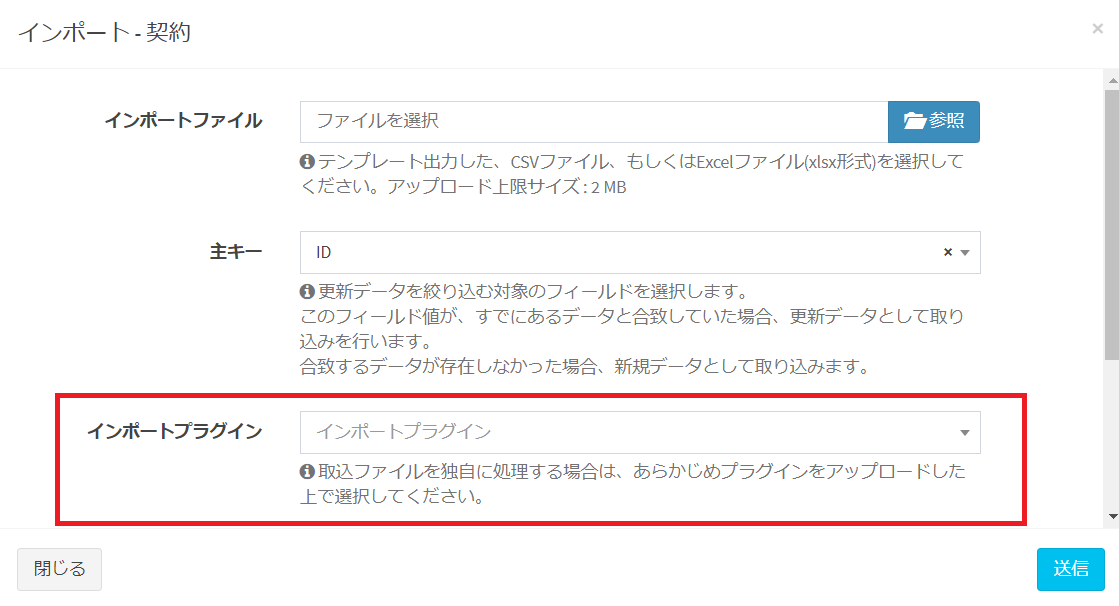
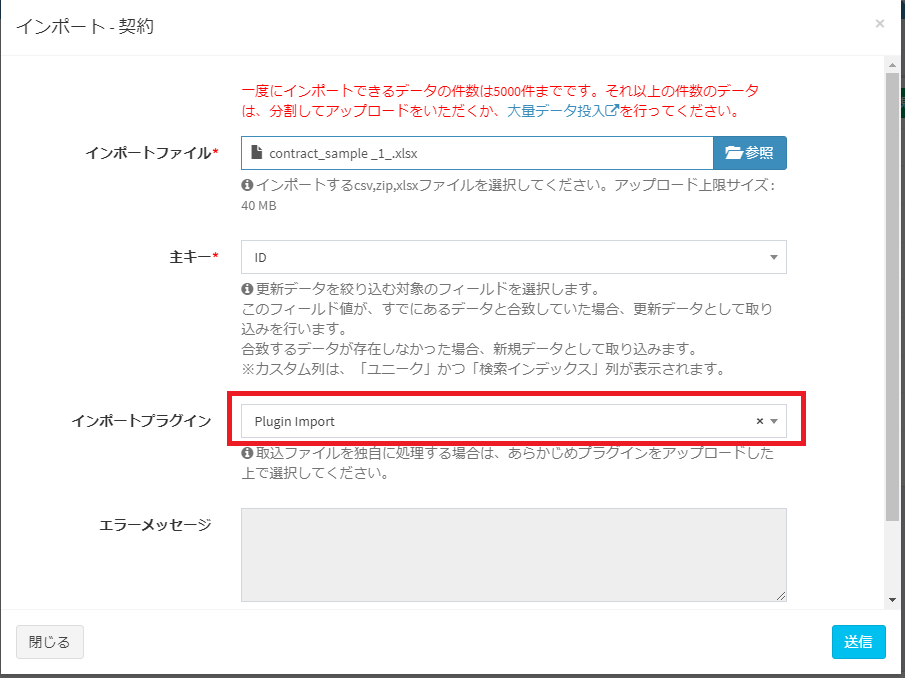
When you open the import dialog on the target_tables screen registered in the plugin management screen, the import plugin selection field is displayed.
When you select the registered plug-in and press the send button, the import process will be executed with the contents of the execute function of Plugin.php.