
Maintenance mode
Lets only system administrators into the site while data is moved or plugins are installed. Switch it in "Settings: System" > "Maintenance Mode" (the URL is /maintenance).
※This page is available in Exment v7.2.1 or later.
※Only system administrators can use it. Turn on "Maintenance mode" in Feature Management.
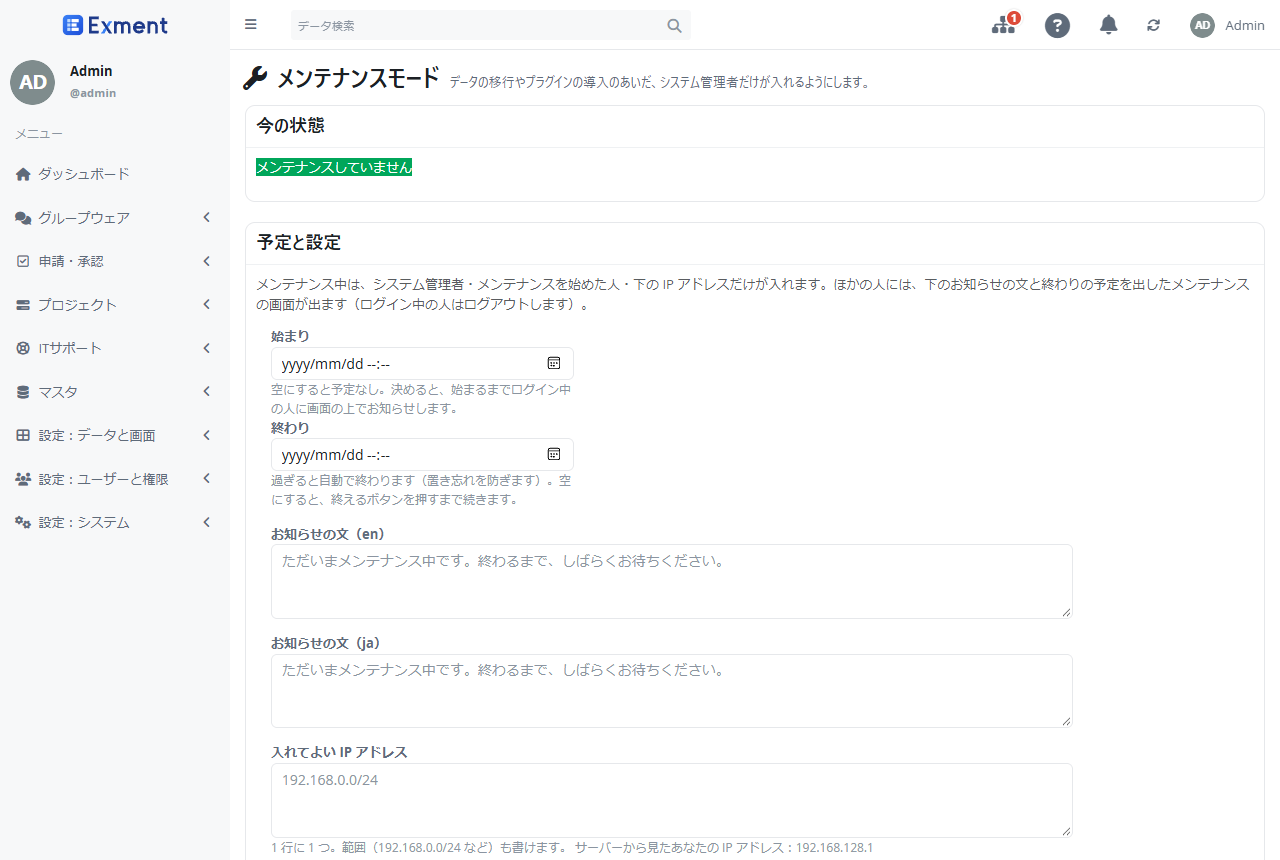
During maintenance
- Only system administrators, the one who started it, and the "allowed IP addresses" get in.
- The others see the maintenance page with the notice and the planned end (HTTP 503). Logged-in users are logged out.
- Starts, ends and changes go to the operation log.
Settings
| Item | What it does |
|---|---|
| Start | Empty for no plan (to start now, press "Start maintenance now"). With a time, logged-in users see a notice at the top of the page until it starts |
| End | It ends by itself when the time passes (so it is not left on). Empty: it goes on until the end button is pressed |
| Notice (ja, en) | The text shown on the maintenance page |
| Allowed IP addresses | One per line. Ranges such as 192.168.0.0/24 are allowed. The page shows your IP address as the server sees it |
| API (OAuth, API keys) | "System administrators only", "Stop" or "Do not stop" |
| Stop the pages from outside | Stops public forms, share links, the safety check answer page, and approvals and answers in LINE |
| Stop scheduled tasks | Stops the schedule and plugin batches. They run once after the end (a task at a set time, like the automatic backup, waits for its next time) |
| Stop the queue | Stops mails and other background work. It goes on from where it was after the end |
Command
When the page cannot be opened, or from work on the server, a command can switch it too.
php artisan exment:maintenance status
php artisan exment:maintenance on --until="2026-12-01 09:00" --message="Under maintenance" --allow-ip=192.168.0.0/24
php artisan exment:maintenance off
php artisan down (used by the update from the page and by the restore) is separate and works as before.