Manage projects and issues in the Exment you already use
Adds a project management portal to Exment: issues, board, Gantt chart, wiki and files in one place. No separate issue tracker subscription: it is free and runs on your own server too.
Project Management (shown as 「プロジェクト管理」 in Exment) is an official plugin, built, tested and supported by Exceedone, the developer of Exment. It is GPL-3.0 like Exment, and the source code is on GitHub. It needs Exment 7.0 or later (PHP 8.2 or later).
Free, no user limit
The plugin is free. Adding more users does not add plugin fees.
On your own server
It runs wherever Exment runs, so issues and documents do not have to live in an outside service.
Data in Exment tables
Issues are stored in Exment tables, so views, aggregation, the API and notifications all work on them.
Roles from role groups
Project managers, members and viewers are set with Exment's role groups.
Features
Each project brings its issues, board, Gantt chart, wiki and files together on one screen.
Issues
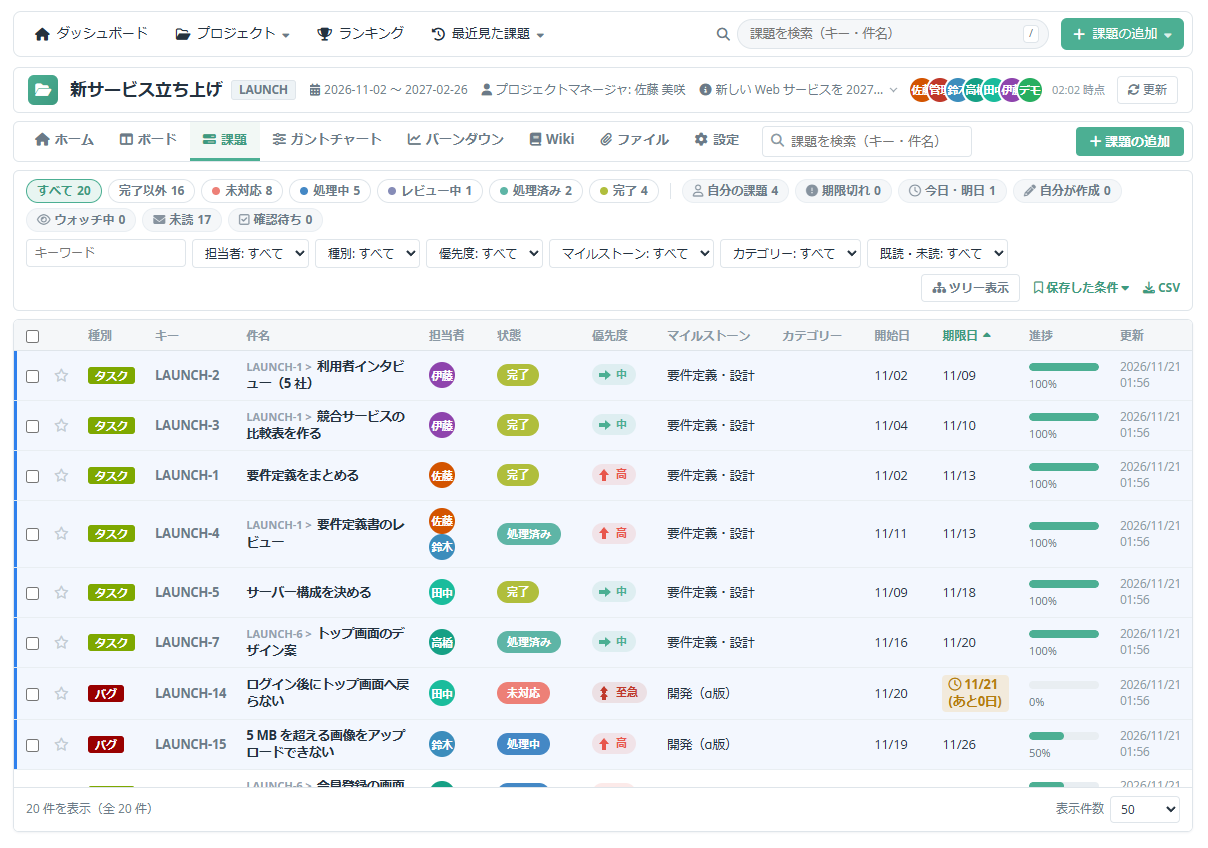
List with filters and quick chips, parent/child tree, Excel-style inline editing, bulk update and attachments. Bodies are Markdown, with pasted images.
Board and Gantt chart
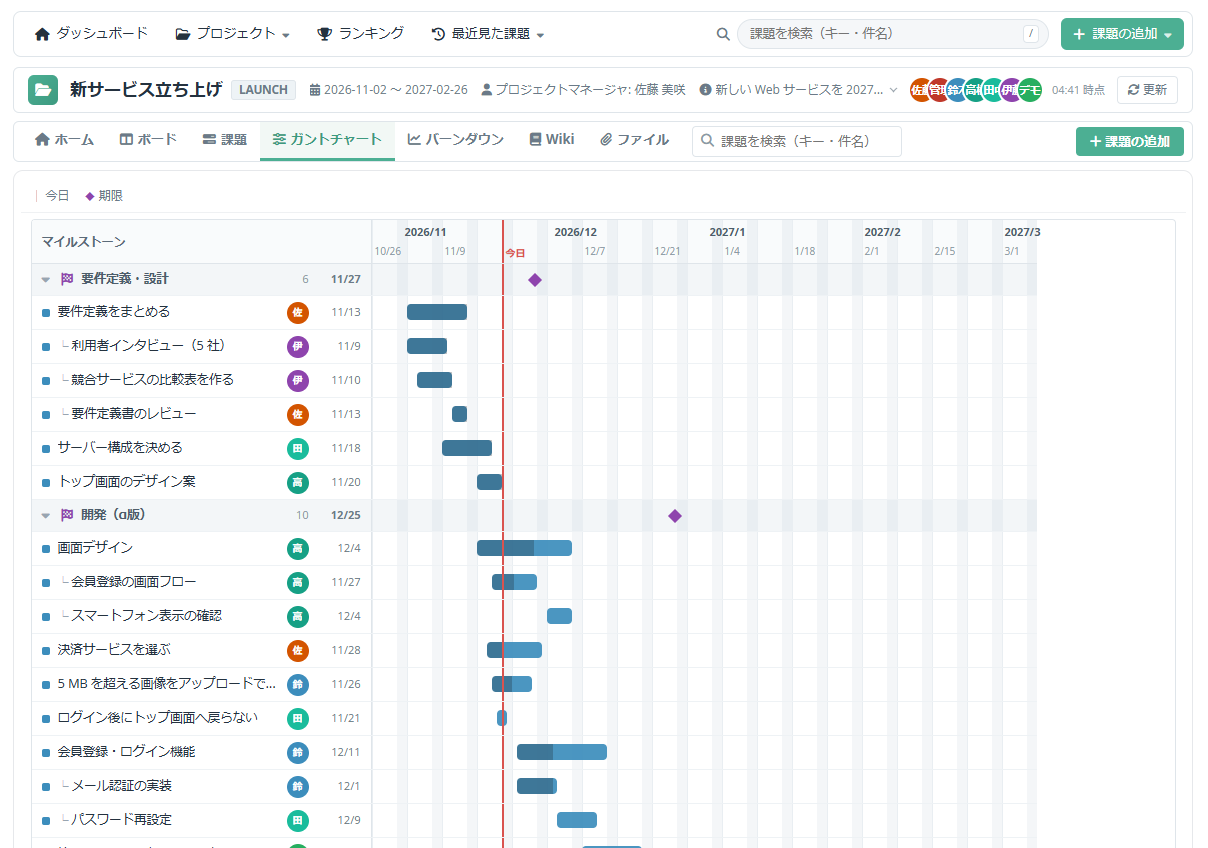
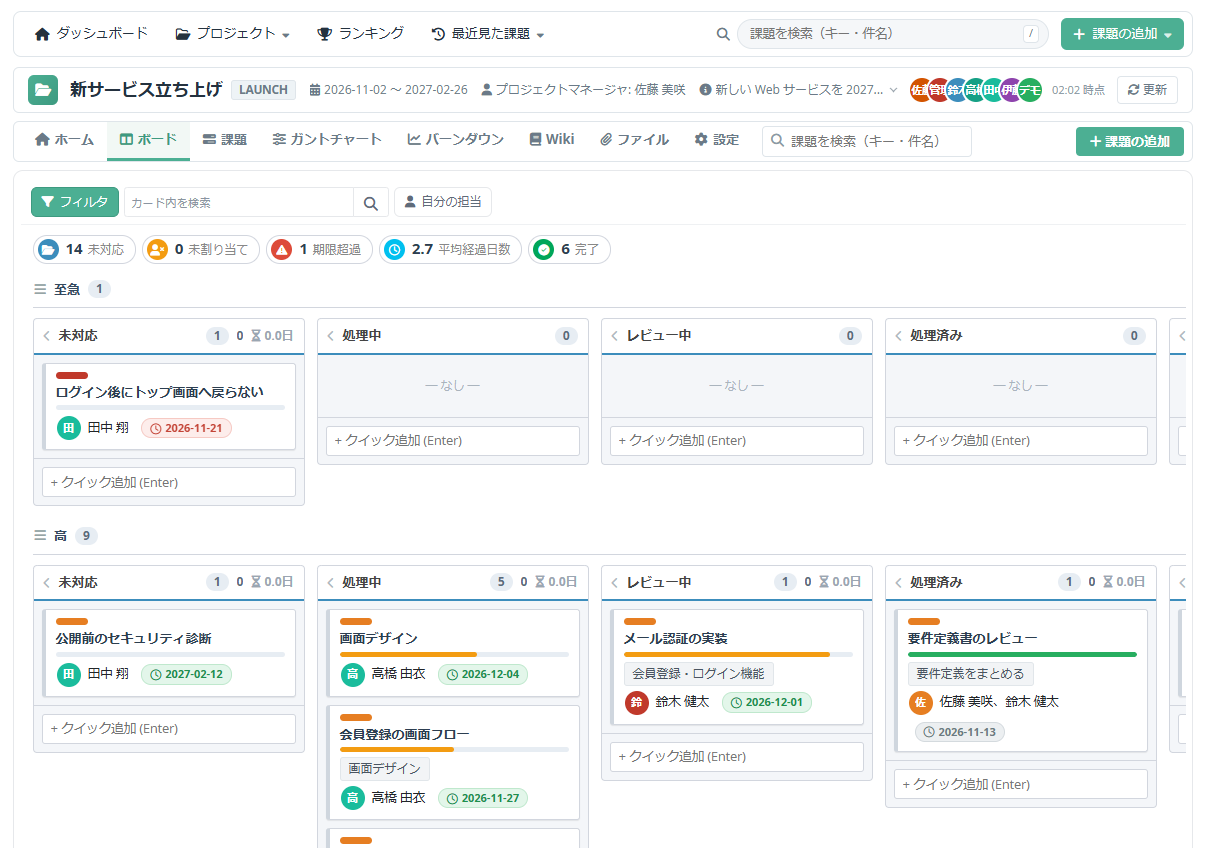
Move issues on a status board, or see the schedule on a Gantt chart.
Milestones and burndown
Group issues by milestone and check the remaining work on a burndown chart.
Comments, mentions, reviews
Comment on issues, mention the people who should know, and ask for a review.
Read and unread
See who has read an issue. Issues you have not seen are tinted in the list; right-click to mark them read or unread.
Notifications
In-app bell notifications, plus optional mail on a new issue or comment, or with the "mail this issue" button (using Exment's mail settings).
Wiki and files
Share project documents in the wiki and the file area.
Data migration
Export a project with its comments, history and attachments to a ZIP and import it into another Exment (it checks first, then writes; system administrators only).
Screens
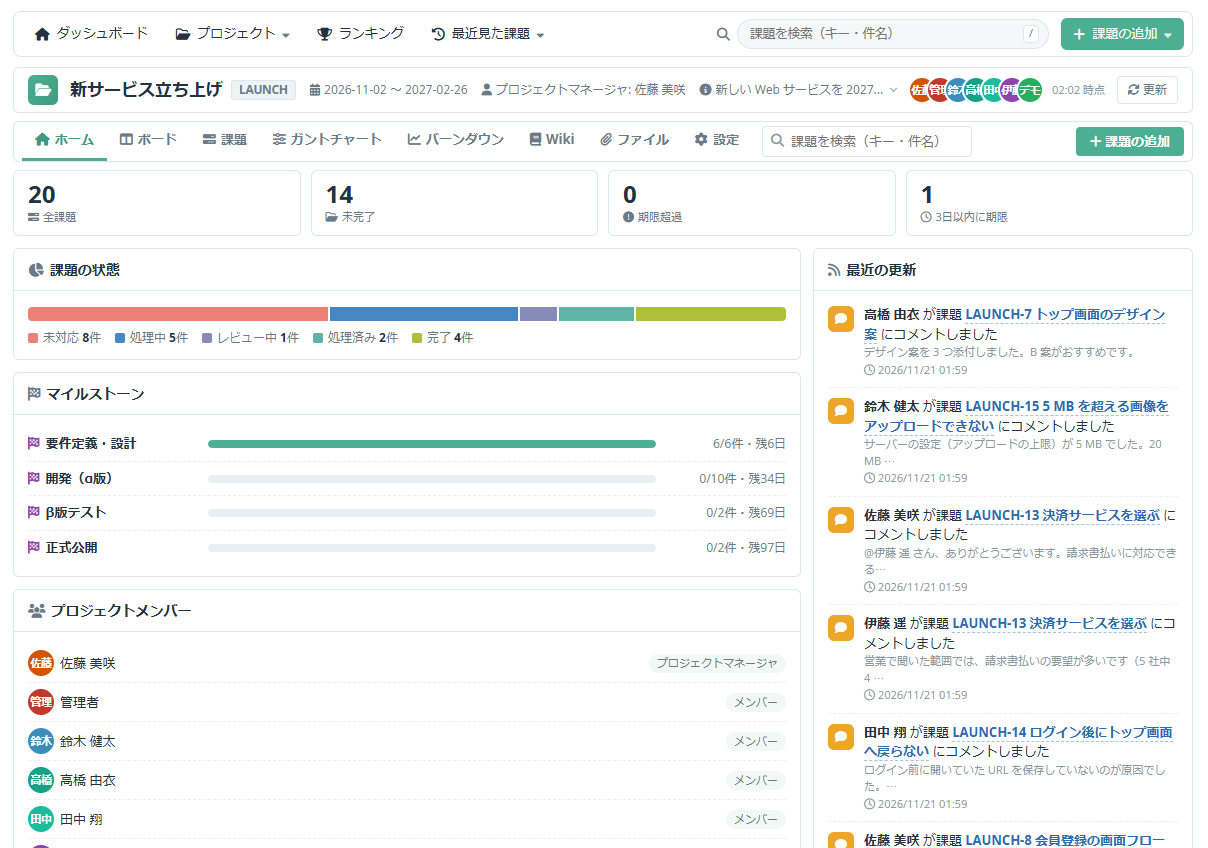
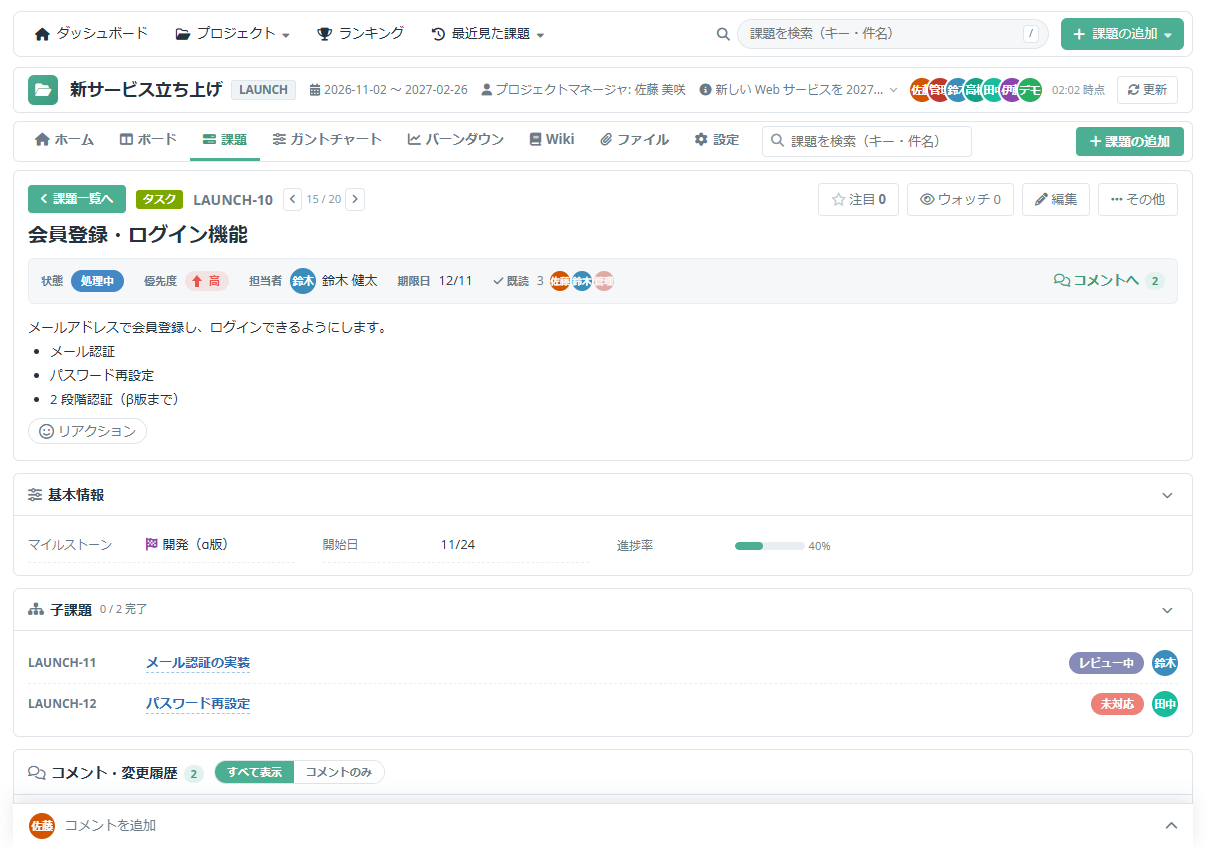
Screens from the demo project "新サービス立ち上げ" (launching a new service). Names and data are made up; the demo is in Japanese. You can try the same demo in the demo environment.
How to install
Download the latest zip from Releases on GitHub (now ExmentPM-1.7.2.zip). Do not unzip it.
* Do not use the green "Code → Download ZIP" button. That zip is the whole repository and Exment cannot read it.
Log in to Exment as a system administrator and upload the zip in Admin settings → Plugins → Plugin upload.
* On Exment SaaS (*.exments.com), install it from the Plugin market.
Open 「プロジェクト管理」 in the left menu as a system administrator and follow the screen. It creates the tables the plugin uses.
For details and how to update to a newer version, see the manual and the README on GitHub.
FAQ
Does it cost anything?
No. The plugin is free and has no limit on the number of users. If you need help with setup or use, see our support plans.
Which Exment does it work with?
Exment 7.0 or later (PHP 8.2 or later), wherever Exment runs: your own server, a rental server or the cloud. On Exment SaaS, install it from the Plugin market.
How do I update to a new version?
Upload the new zip the same way you installed it. The plugin is replaced and your data stays. If the screen asks, press ⚙ Settings → Update data structure.
If you have a version under an older name (PmPortal or ExmentPluginPM), moving to 1.4.0 or later needs a one-time step. See "Moving to ExmentPM" in the README.
Can I use the issue data with other Exment features?
Yes. Projects and issues are stored in Exment tables, so custom views, aggregation, dashboards, the API and notifications can use them.
See also AI-OCR, which reads invoices, and the AI chatbot you can ask questions in chat.
Start project management today, free
Just upload the zip. For help with adoption, feel free to contact us.