Build, use, run, extend: business systems without code
Create tables just by configuring screens, enter data, view it in Kanban or Gantt charts, and run your processes with workflow. Connect to other systems with the API and AI.
Build
Create tables, columns, forms and views just by configuring screens. You can also start from business templates.
No-codeUse
Import from Excel, then see progress at a glance in lists, Kanban, Gantt charts and dashboards.
v7 Kanban & GanttRun
Run your business in Exment with request and approval workflows, notifications to Slack and Teams, and fine-grained permissions.
WorkflowExtend
Connect to other systems with the API and plugins, and cut data entry and support work with AI-OCR and the AI chatbot.
API & AINew in 7.0
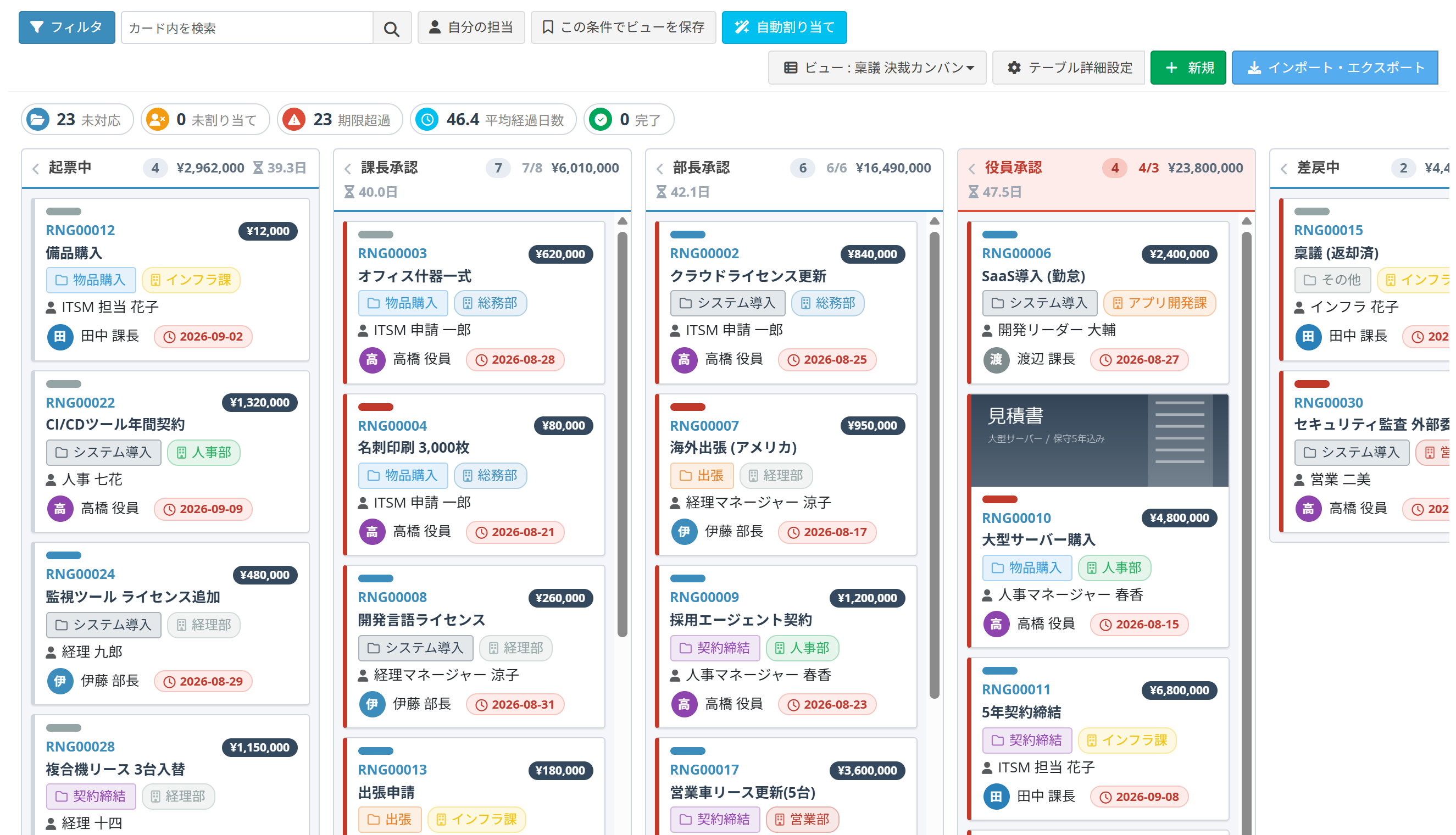
Kanban, Gantt charts, a visual workflow designer, cell styles and a new data grid. Now you can see how work is progressing at a glance, through color and shape.
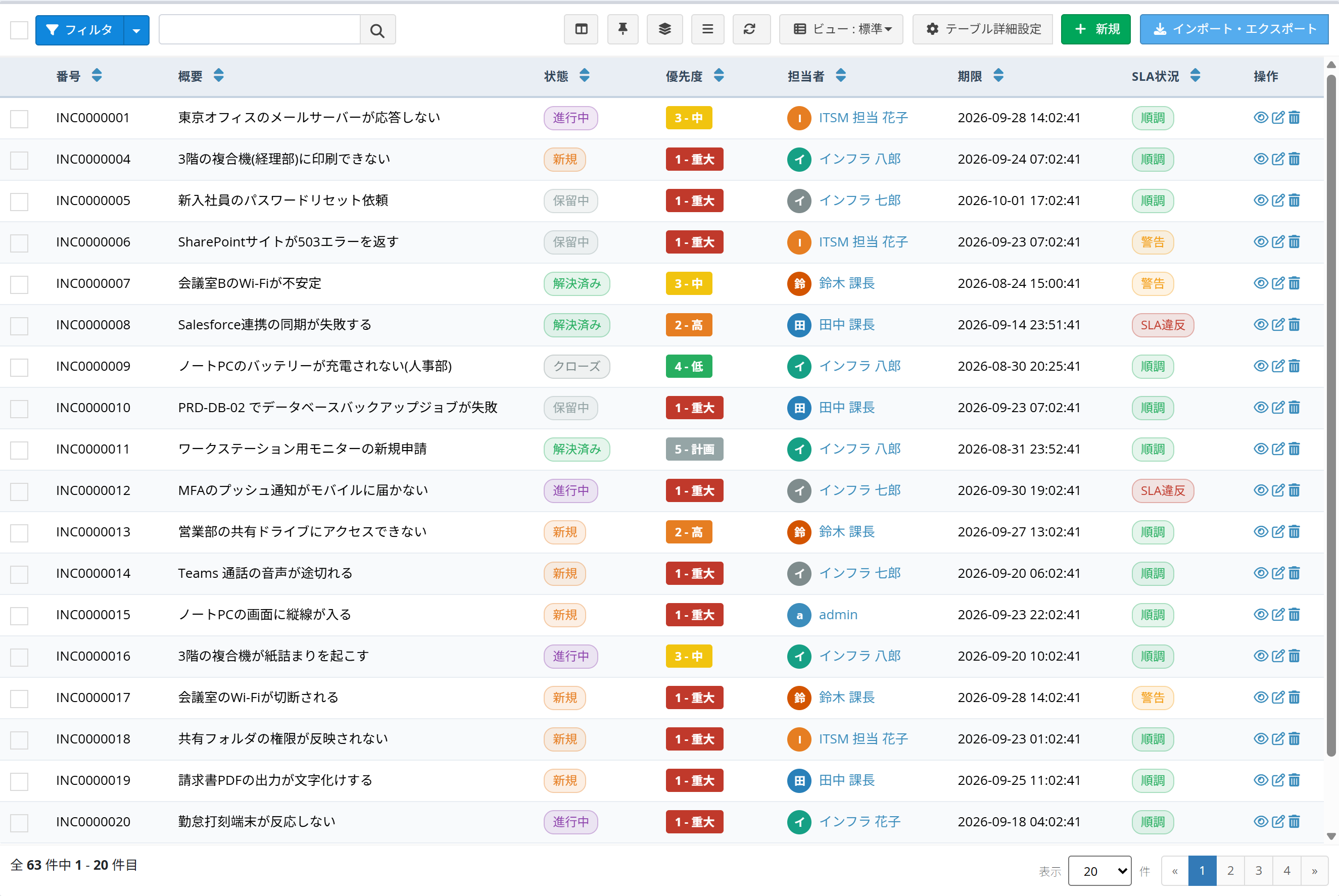
A new data grid
Status and priority shown as colored labels. Show/hide and freeze columns, filter, edit inline, quick preview and bulk actions, all on screen.
→ ManualGantt chart view
Show each record as a bar on a timeline from start date to due date. Supports colors, progress, milestones and parent-child indentation.
→ Manual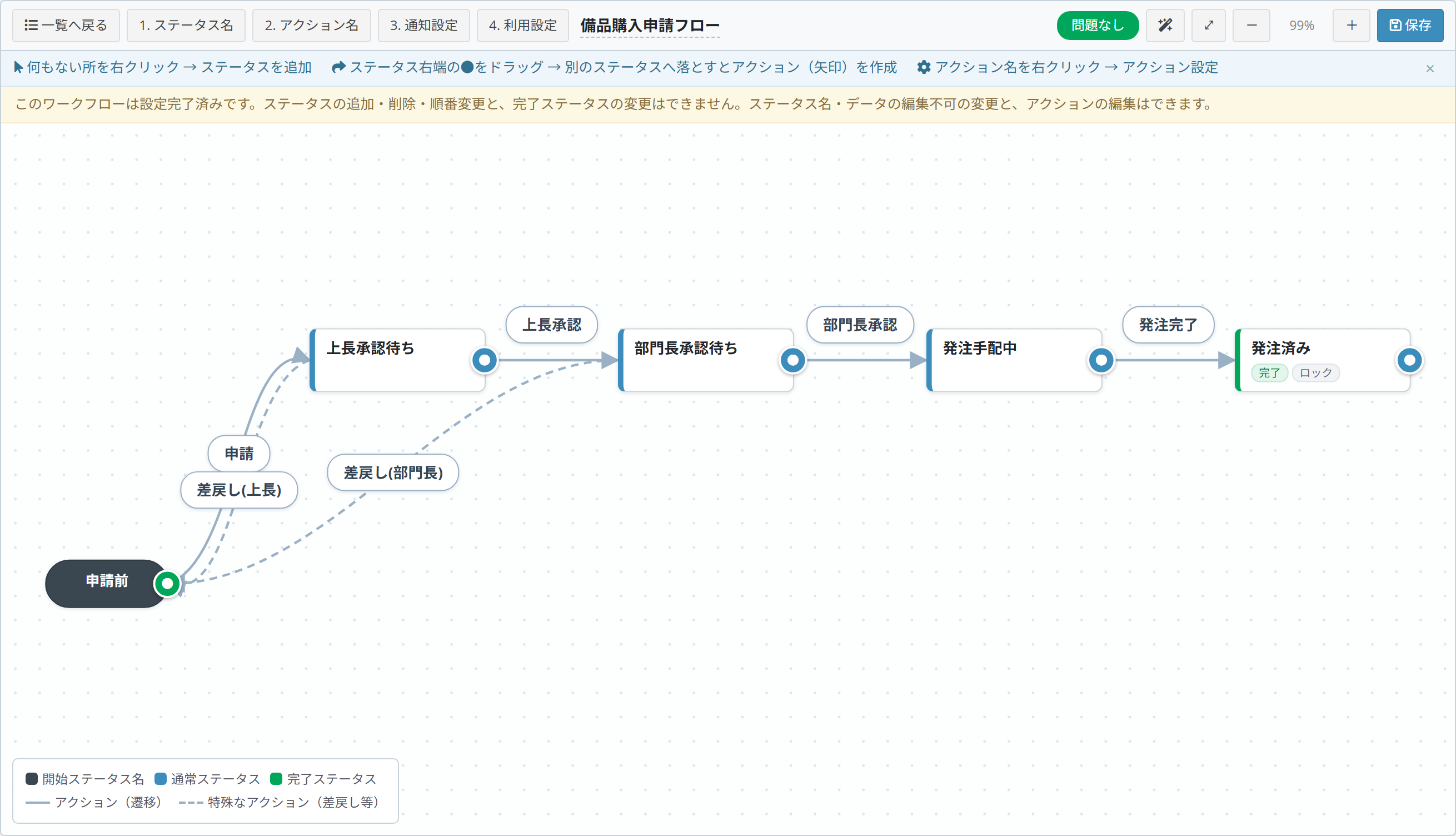
Visual workflow designer
Place statuses and actions on a diagram and design your workflow while seeing the flow.
→ Manual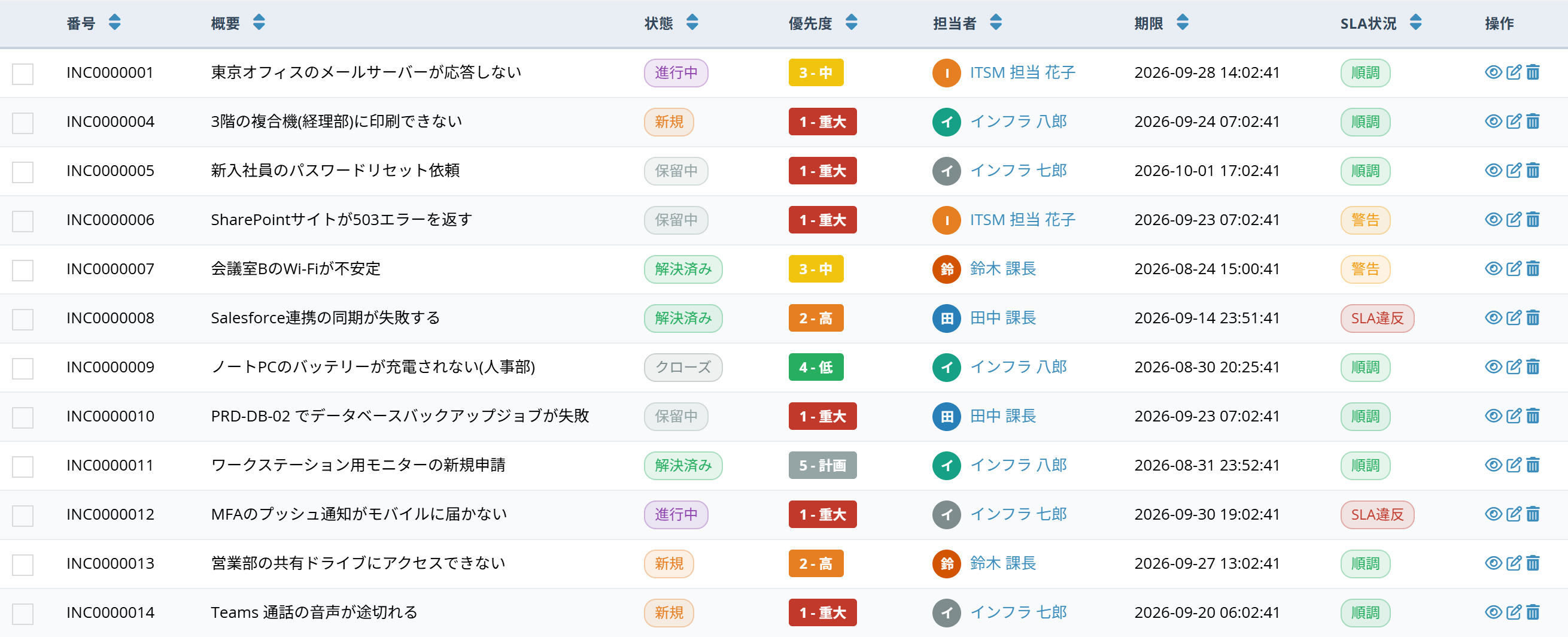
Cell styles
Set up presets that change cell colors and text in the data grid and Kanban based on their values.
→ Manual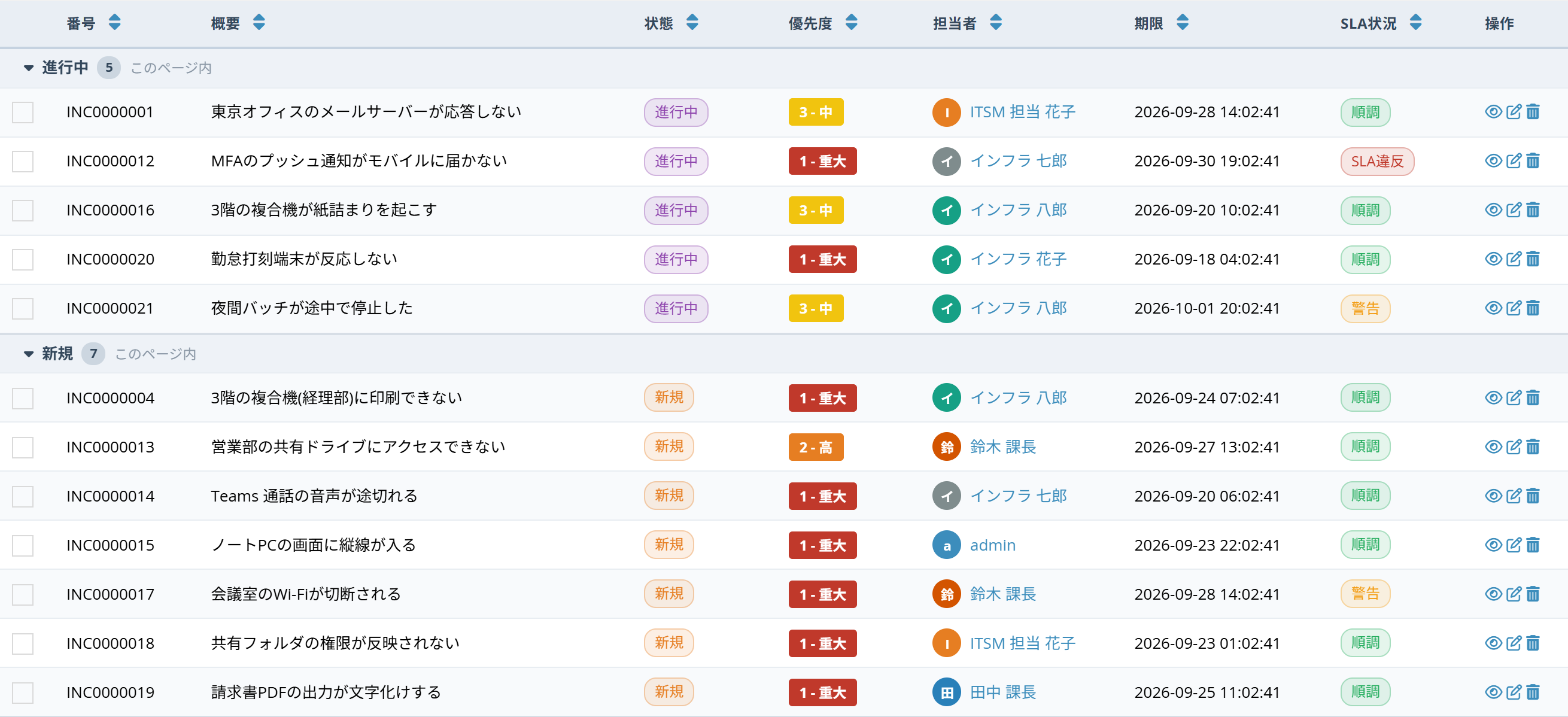
Grouping
Group records by assignee, status and more, with a count for each group.
→ Manual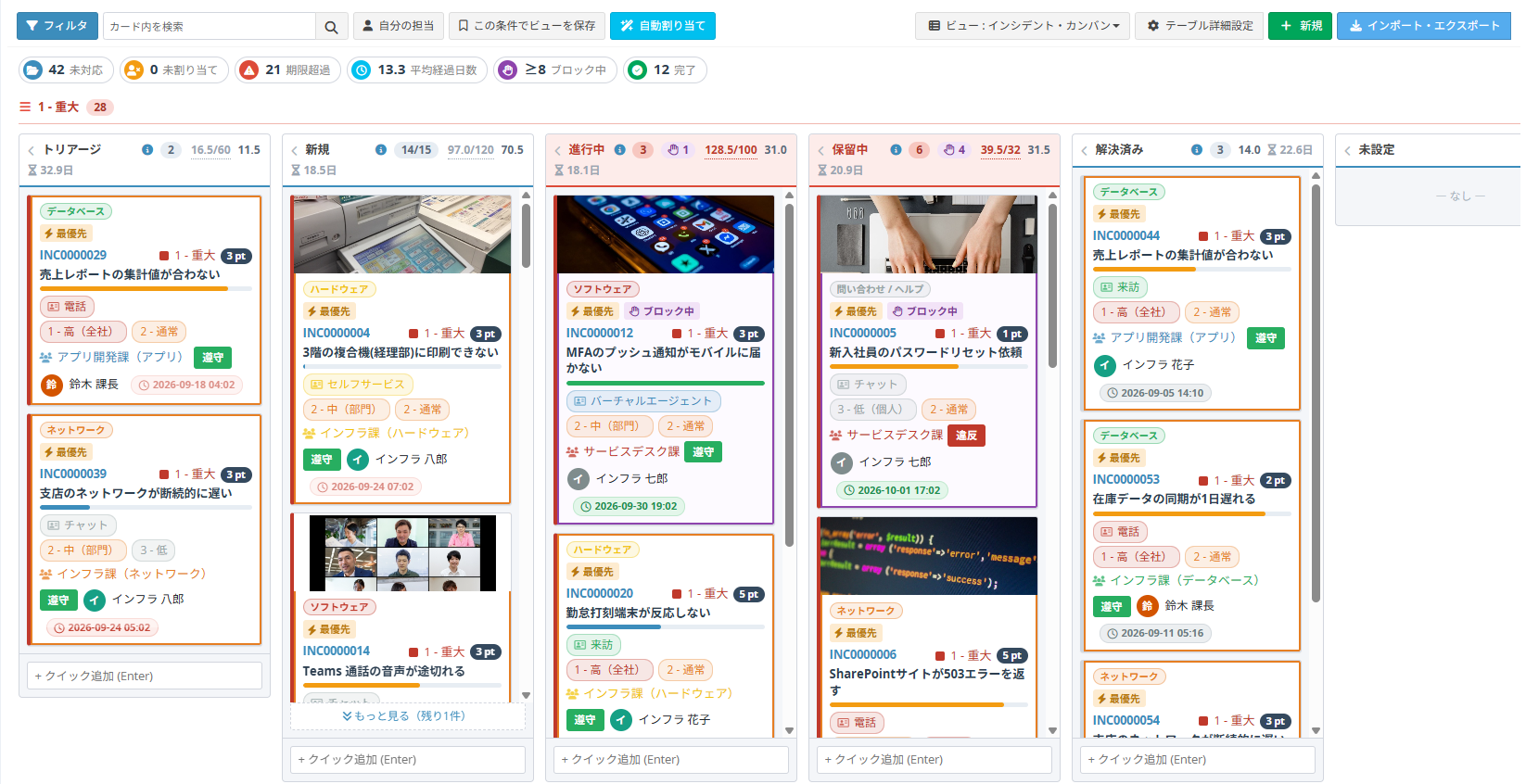
Kanban view
Arrange cards in columns by status or another field, and drag them to move. Works together with workflow.
→ ManualCore features
From entering and searching data to notifications, workflow and sign-in methods, Exment has everything a business system needs.

Data list
View the data in your web database as a list. Choose which columns to show, right on screen.

Data editing
Enter, add and change data easily on screen.

No-code tables and columns
Add and change table and column settings on screen, without code.

Search related data together
Display the data you want to review together in one go, such as "customers in a certain category" or "contracts for a certain customer." Related data you used to check across separate spreadsheets and files can easily be shown in one list.

Bulk import and export
Import and export data in bulk with CSV or Excel files. Fill in the provided template to register large amounts of data without entering records one by one.

Cascading filters
When you pick a value in one column, the choices in a related column are narrowed down by that value.

Notifications
Send notifications to users, email addresses, Slack and Microsoft Teams.

Dashboard
Show the lists you care about on the home screen, such as contracts up for renewal or open tasks.

Summary view
Group data and show totals, counts, maximums, minimums and more. On the dashboard, you can display charts based on summary view settings.

Calendar view
Choose a date column to display data on a calendar.

Backup and restore
Back up and restore settings and data together. Set a schedule for automatic backups. Restore a backup in another environment to move the whole environment (for example, templates and data built in a test environment to production). * Always test before moving an environment.

Templates
Export system definitions such as tables and columns as a template, and import it into another Exment.

Document output
Create documents such as quotes and invoices on screen from your registered data. * The standard feature outputs Excel files from Excel templates. For PDF output, see this page (in Japanese).

Workflow
Set up request and approval flows. For each status, decide on screen who can take action and whether data can be edited, making it ideal for expense claims and approval requests. Since 7.0, you can design the flow visually.

Sign-in methods
Configure sign-in methods such as single sign-on and two-factor authentication.
Feature list
- Change web database definitions
- Data list display
- Add, edit and view data
- Bulk import and export
- Data update settings
- Composite unique keys
- Compare two columns
- Linked data settings
- Cascading filter settings
- Document output (Excel format)
- Data sharing
- Restore deleted data
- Dashboard
- Calendar view
- Summary view
- Templates
- Permission management
- Custom plugins
- Custom document formats
- Web database template management
- Notifications
- Copy data
- Auto numbering
- On-screen calculations
- Backup and restore of data and system
- Sign-in options (Google account, Microsoft 365 account, etc.)
- Two-factor authentication
- API integration
- Data view sort order
- Workflow
- Visual workflow designer (7.0)
- Kanban view (7.0)
- Gantt chart view (7.0)
- Cell styles (7.0)
- Data grid tools (freeze columns, grouping, inline editing, etc.; 7.0)
Extensions
- Document output (PDF format) Learn more (in Japanese)
- AI-OCR (reading invoices and expense receipts) Learn more
- AI chatbot Learn more
* AI-OCR and the AI chatbot are enhanced features of our cloud service (AWS edition). The AWS edition is currently invitation-only, with general availability coming soon (Pricing and support).
Feature specifications
For detailed specifications of each feature, see the feature specifications page (in Japanese).
System requirements
Server
- PHP 8.2 or later (since Exment v6.0.0)
- MySQL 8.0.0 or later, or MariaDB 10.11 or later
(* If you use shared hosting, check in advance that your provider offers MySQL 8.0.0 or later, or MariaDB 10.11 or later) - Laravel 12 (since Exment v7.0.0; v6 uses Laravel 10)
Tested browsers
- Google Chrome
- Microsoft Edge
* Internet Explorer is not supported. Microsoft ended support for Internet Explorer in June 2022, and some of the JavaScript Exment uses is not supported by IE. Thank you for your understanding.
Tested shared hosting (in no particular order)
- XServer (tested on the X10 plan)
- Sakura Internet (tested on the Standard plan)
* These are environments we have tested ourselves. They are not recommended, partnered with or supported by the hosting providers.
Tested cloud services (in no particular order)
- AWS
- Azure
- Oracle Cloud
* These are environments we have tested ourselves. They are not recommended, partnered with or supported by the cloud providers.
Resources and documentation
Contact us
For questions about adoption, pricing or support, feel free to contact us.