An AI assistant that answers common questions instantly
Exment AI Chatbot is an AI assistant you can use right from Exment. Use it for customer support and FAQs. It answers even when no one is available, reducing the time your team spends on inquiries.
The AI chatbot is an AI feature enhanced in our cloud service (AWS edition). The AWS edition is currently invitation-only, with general availability coming soon. Contact us to learn how to use it (Pricing and support).
Customer support
Answer customer questions and requests instantly by chat.
FAQs
Common questions appear at the start of the chat. Just pick one to get the answer.
Workflow integration
Review and approve the FAQs used for answers with Exment's workflow before publishing them.
24/7, all year round
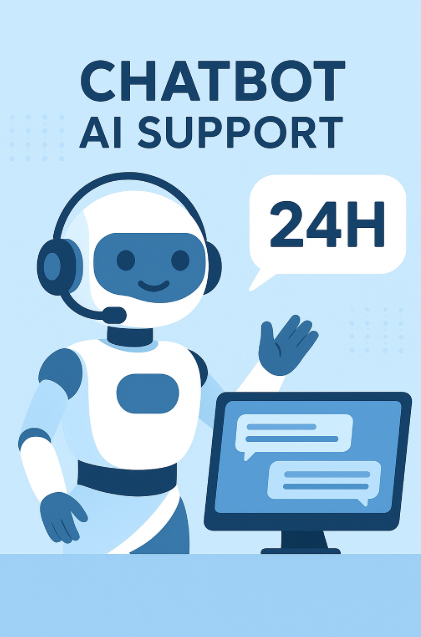
Reliable support even outside business hours and in busy seasons. Keep service quality high while easing the load on your staff.
How it works
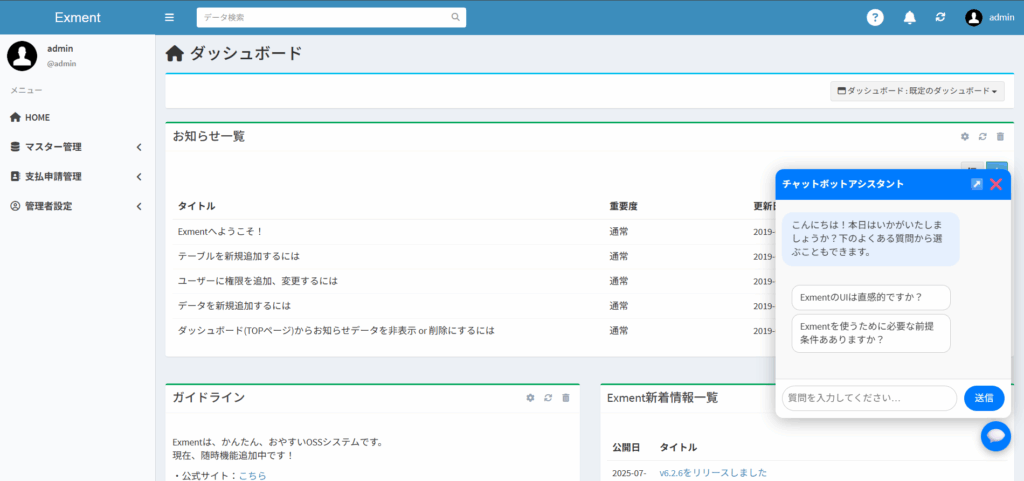
The chatbot appears at the bottom right of the Exment screen. Type a question, and the AI answers.
Ask anytime, right from Exment
Open the chatbot assistant from the bottom right of the Exment screen. Type a question, or pick one of the suggested common questions.
Workflow integration
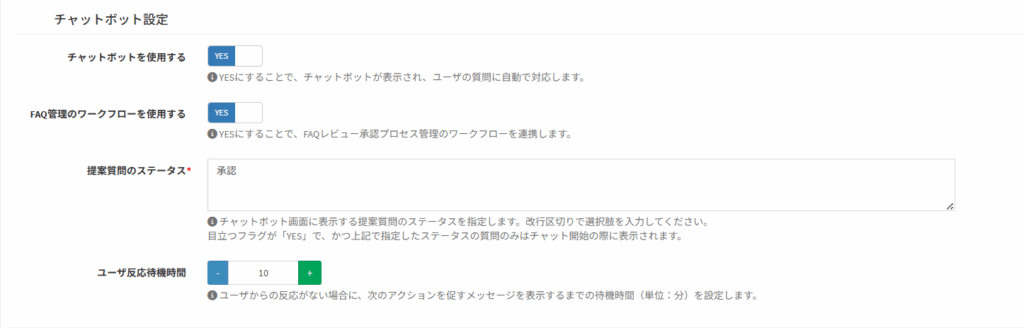
Use Exment's workflow to review and approve FAQs. In the settings, you can choose whether to use the chatbot, whether to use a workflow for FAQ review and approval, the status of questions shown at the start of the chat, and how long to wait for a user's response.
24/7, all year round
- Provides reliable support even outside business hours and in busy seasons.
- Keeps customer service quality high while easing the load on your staff.
Also see how AI-OCR reads invoices and expense receipts and connects them to workflow.
Talk to us about the AI chatbot
Feel free to contact us about adoption or setup.