AI reads your invoices and expense receipts and registers the data
Scan paper or PDF invoices and expense receipts, and AI-OCR reads the data you need, such as payee, amount, date and line items, and imports it into Exment. The imported data can go straight into request and approval with Exment's workflow.
AI-OCR is an AI feature enhanced in our cloud service (AWS edition). The AWS edition is currently invitation-only, with general availability coming soon. Contact us to learn how to use it (Pricing and support).
Reads paper and PDF
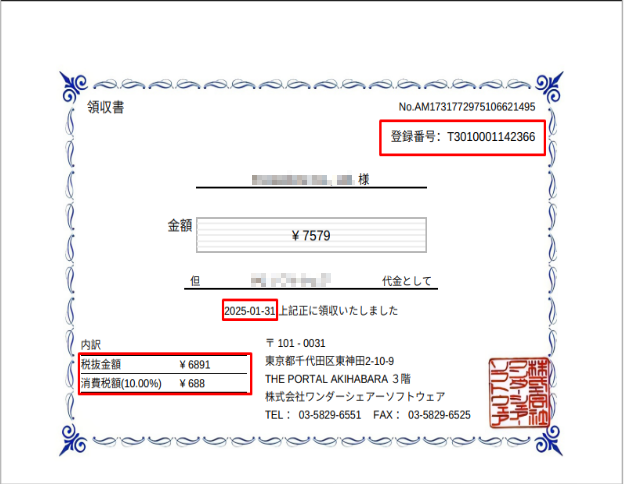
Just import an image or PDF file. It also reads the registration number on Japanese qualified invoices.
Less data entry
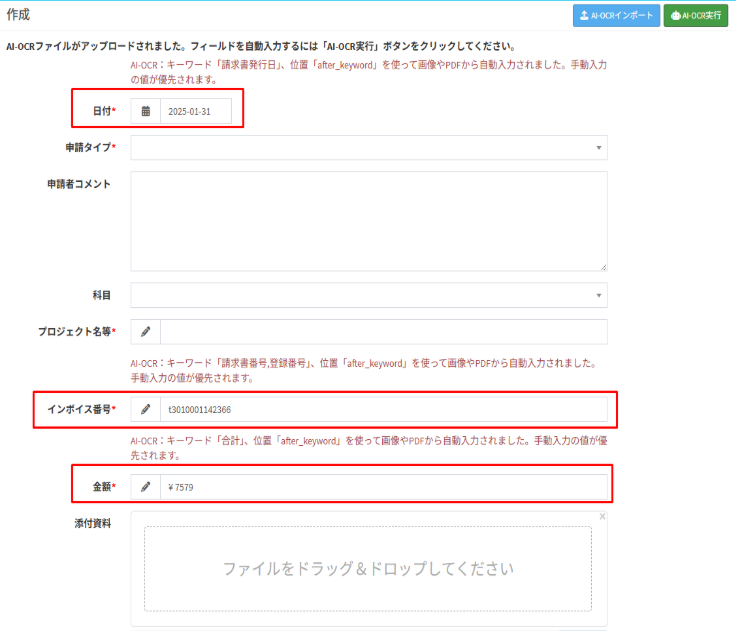
Values it reads are filled into fields such as date, amount and registration number automatically.
Approve with workflow
Run the whole payment request process in Exment, from drafting and submitting to review, approval and payment.
History and bulk actions
See the history of each request from start to finish. Filters and bulk actions save time and effort.
From reading to payment
The process works like this:
1. Import invoices and expense receipts (AI-OCR)
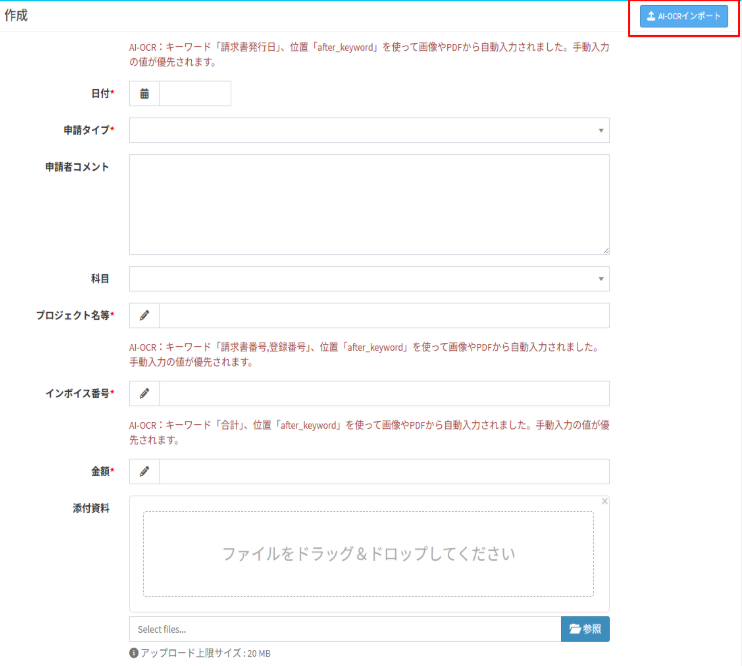
Click the "AI-OCR Import" button and import an image or PDF file.
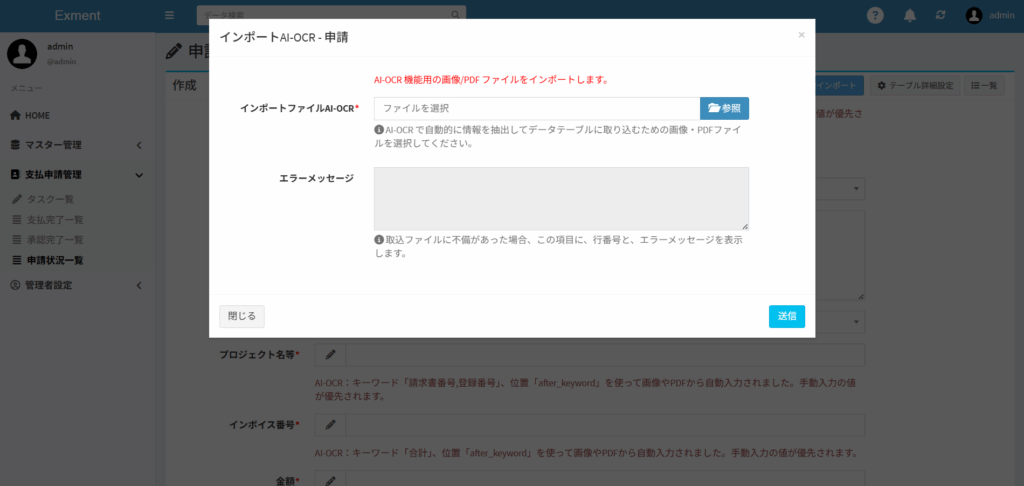
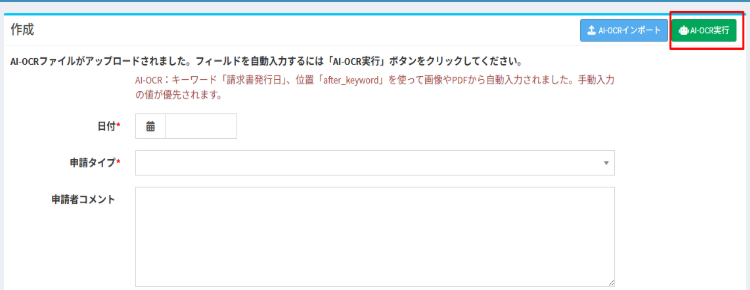
2. Read and register the data automatically
Click the "Run AI-OCR" button to read the invoice data. The date, registration number, amount and other values are filled into each field automatically.
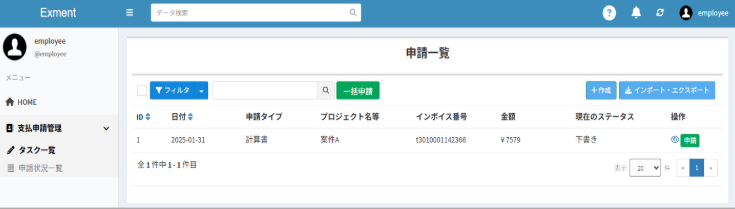
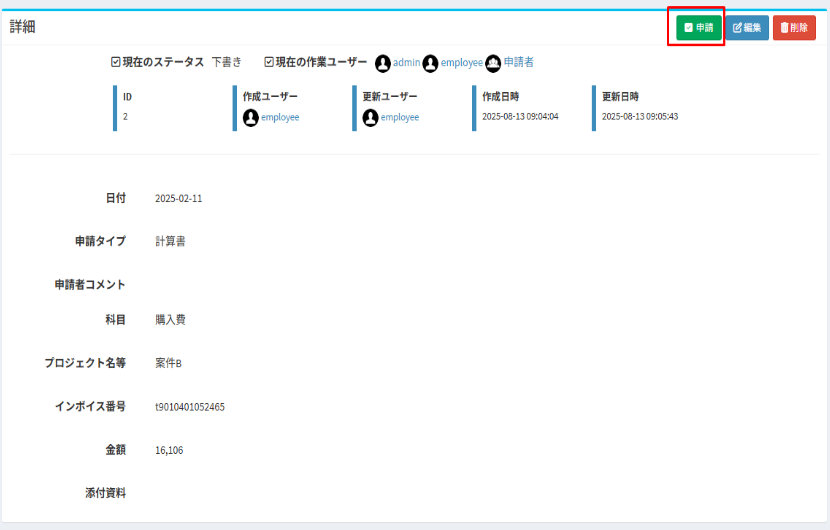
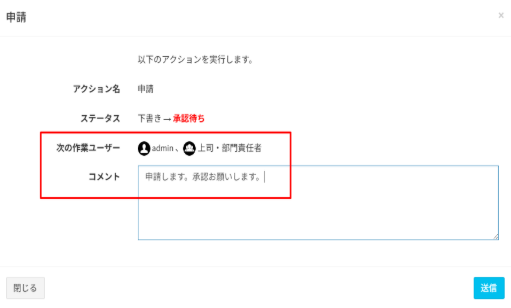
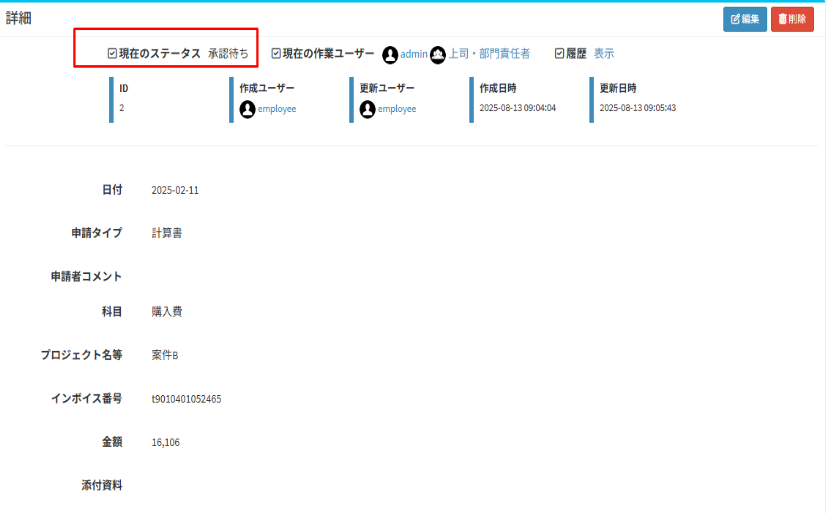
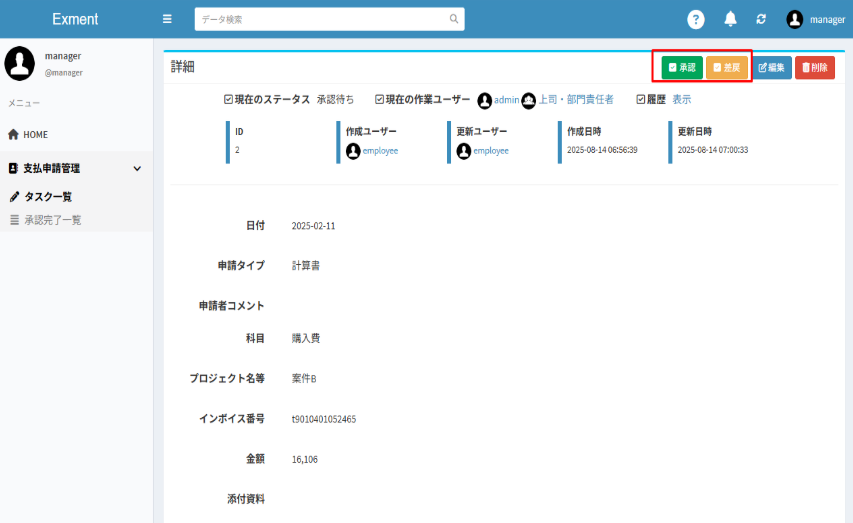
3. Draft and approve payment requests with workflow
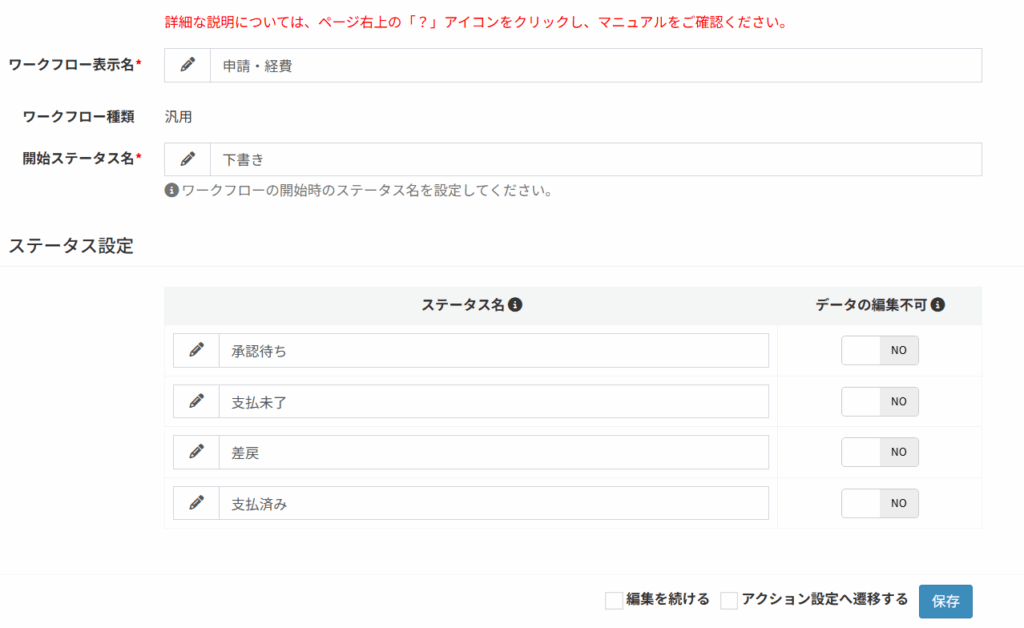
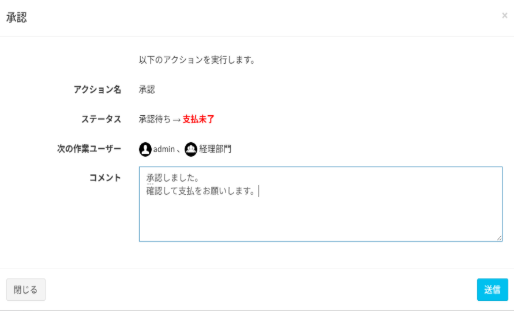
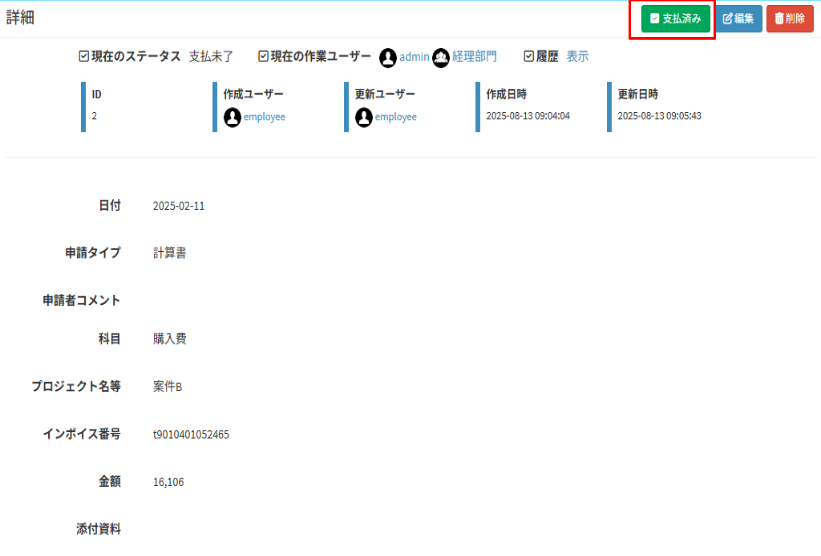
First, set up the workflow: define the statuses (Awaiting approval, Unpaid, Returned, Paid) and who performs each action.
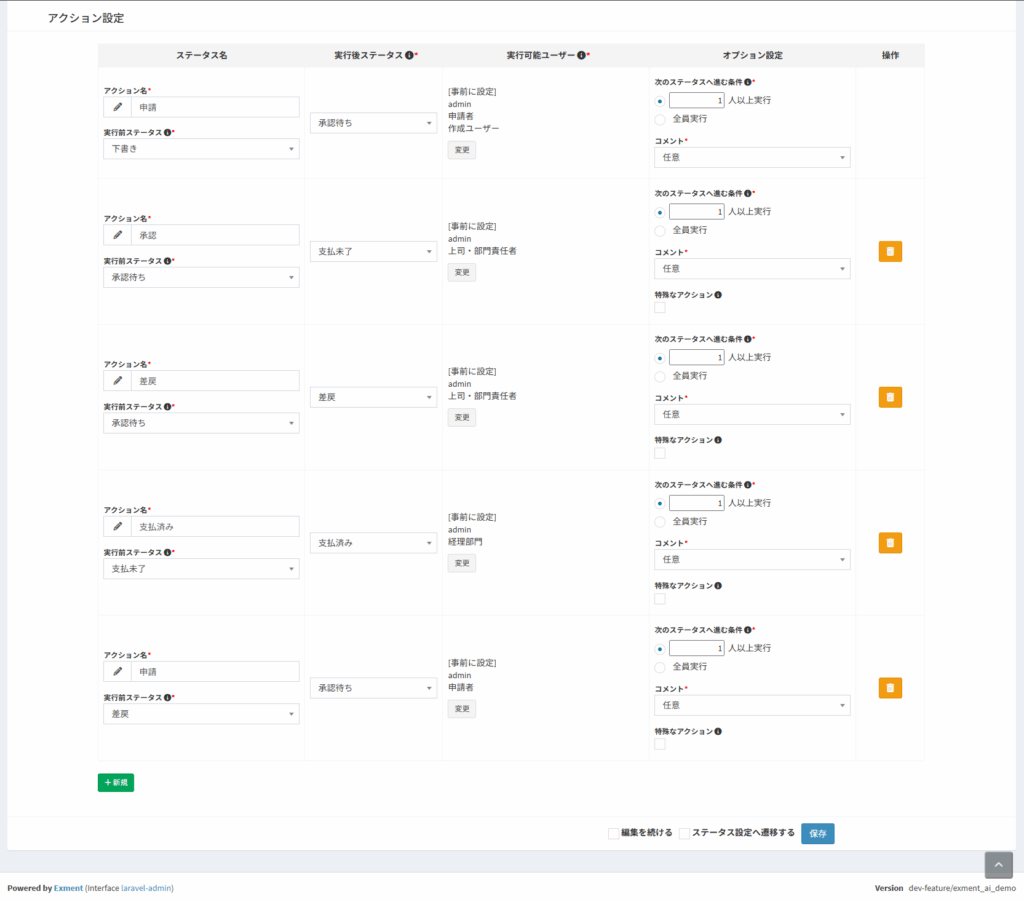
Example flow
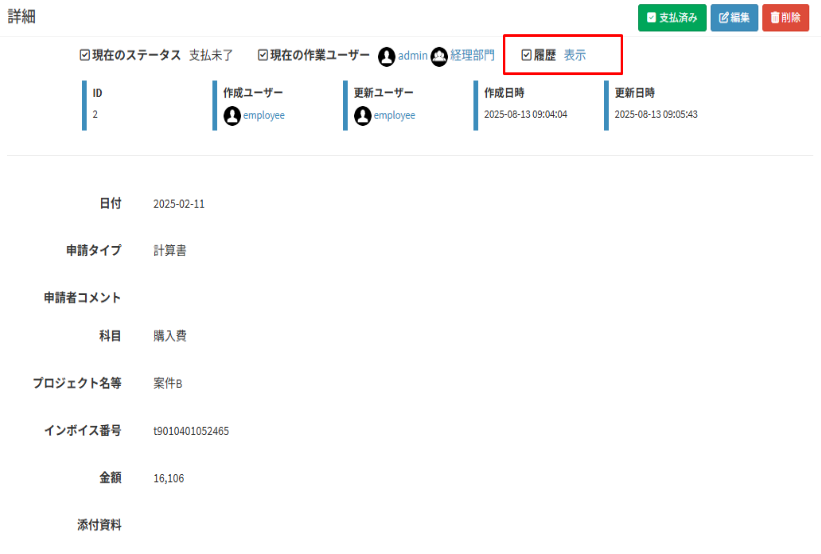
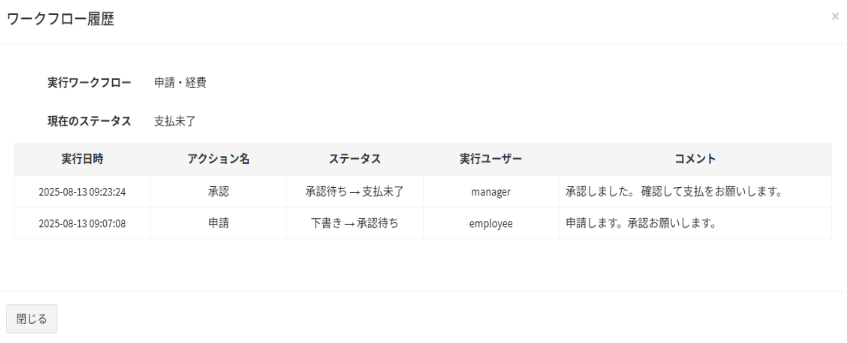
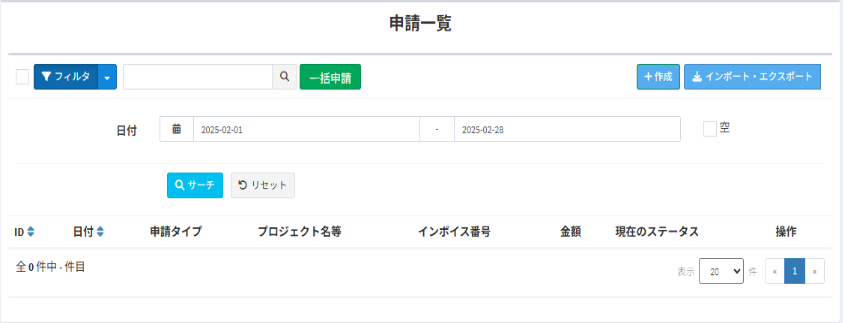
Review the request history
See the history of each request from start to finish.
Filters and bulk actions
You can also filter at each stage. Bulk actions save time and effort.
Also see our AI feature that lets you ask questions by chat, right from Exment.
Talk to us about AI-OCR
Feel free to contact us about adoption or setup.