Examples of how Exment can be used, organized by use case. For more examples, see Use case articles.
Case 1: Project & Task Management
Who is this for?
Anyone planning to manage projects within their company.
Challenges
- Team members track tasks in different ways, making it impossible to see others' tasks. You want to manage all tasks in one place.
- Full-featured project management tools like Redmine were considered, but server costs would be very high.
- With many users expected, per-user pricing of other SaaS services would make ongoing costs a concern.
- A simple solution on a shared server that handles project and task management is all you need.
Template to use
Task Management

* Go to "Admin Settings" > "Templates" in the menu, select "Task Management", and install it.
After setup
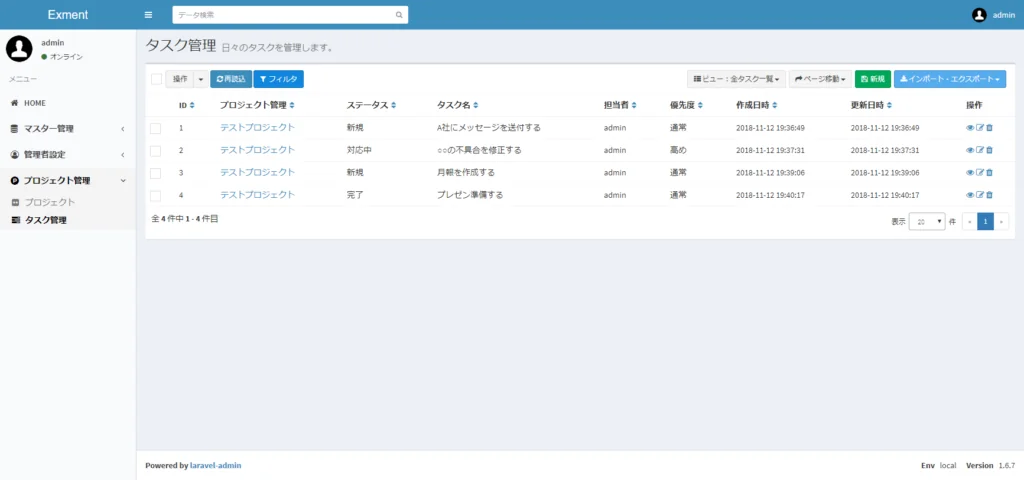
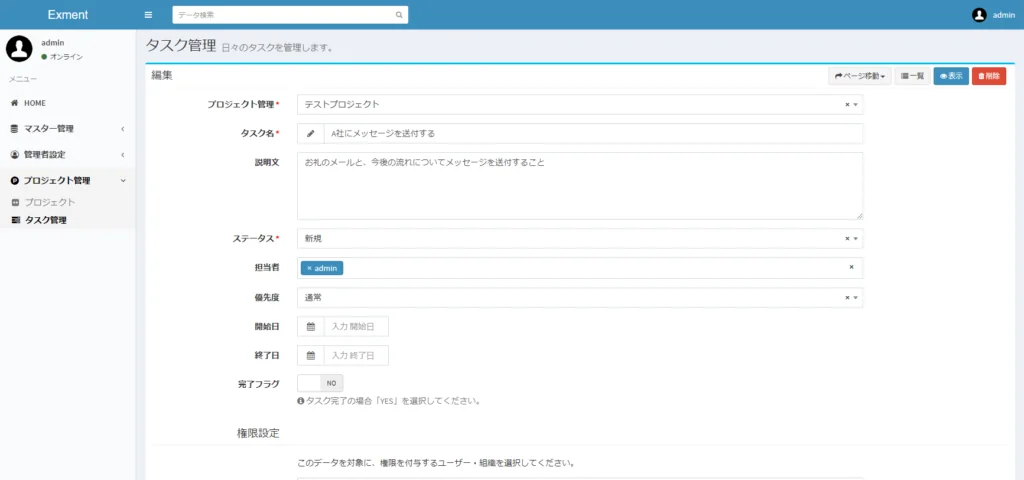
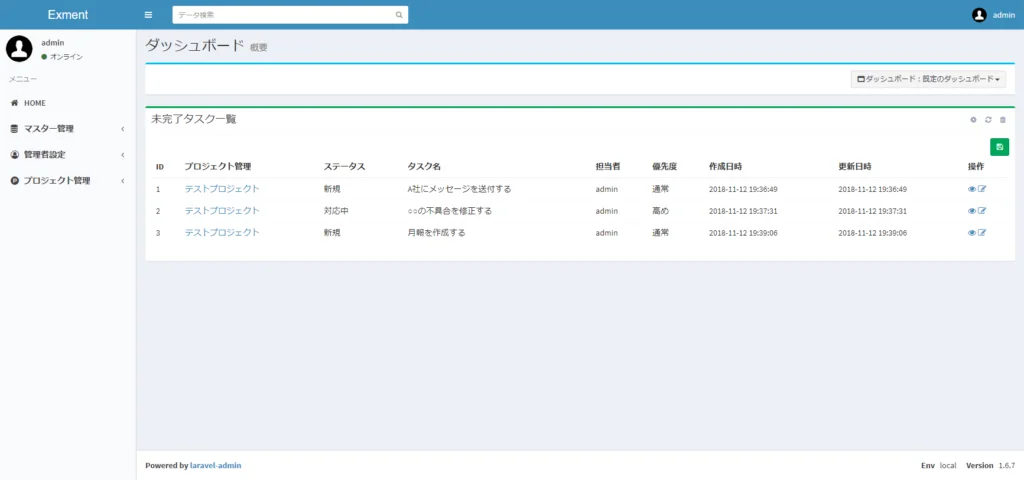
* You can also display "Incomplete Tasks" on the dashboard.
In the current version of Exment, tasks can also be displayed in Kanban and Gantt chart views.
Case 2: Contract Management
Who is this for?
IT companies that sell products and licenses, and their sales teams.
Challenges
- Customer data, product details, part numbers and contracts were managed in spreadsheets, but as the company grew, this became unmanageable.
- Well-known SaaS web databases were considered, but were too expensive.
- Your company uses custom quote and invoice formats, which normally require customization.
- You want to manage customers, products and contracts in a system and use that data to generate documents like quotes.
Setup instructions
* Coming soon.